Setting up Balance Calculation
After the definition of basic data for reconciliation, a second setup phase is required before initializing the balances.
Planning Balance Calculation
Sage XRT Solution launches the balance calculation and stores the results in the database. This automated task takes place every morning at 2 am.
You can activate and deactivate this task called Calculate balances for previous days and modify its execution time by selecting Scheduled Tasks in Batch Tasks menu of Administration module.
Important
Deactivating this task has a significant impact on the response time of Sage XRT Solution for the balances calculation.
Every day, the balances calculation is based on the last calculated balance plus and minus the entries recorded after this last calculation.
Calculation Options
In Administration module, the Configuration menu and the Global Application Settings submenu show the options per module. For Reconciliation module, you can check the Balances Engine settings, before initializing the balances.
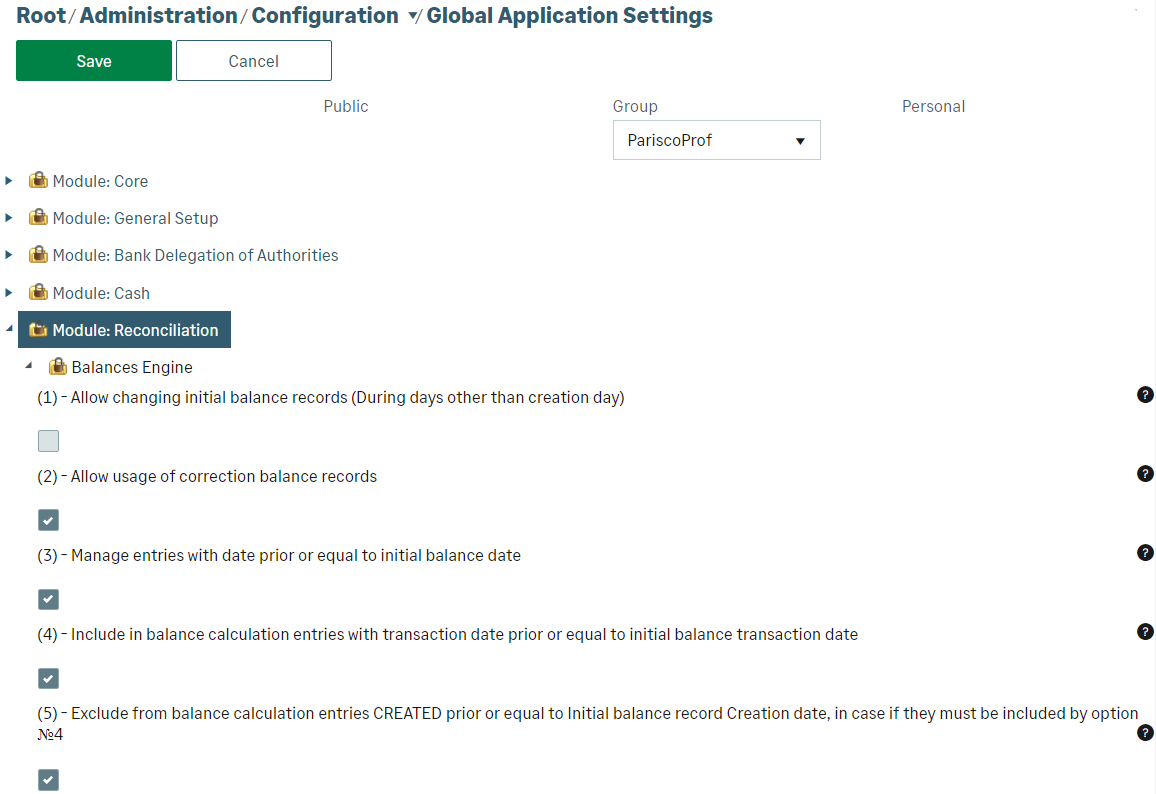
If you want the first balance to be editable at any time, select the option: (1) - Allow changing initial balance records (During days other than creation day). Otherwise, the initial balance is only editable on the day it is created (calendar day before the balance calculation is launched).
If you want to create, change, and delete correction balances, select the option: (2) - Allow usage of correction balance records.
Select option (3) if you want to authorize entries with a transaction date or value date prior or equal to initial balance date. If you select this setting, option (4) enables you to include these entries into the balance and option (5) to exclude them from it.
Important
Options (3), (4) and (5) can be modified as long as no initial balance has been created. Afterwards, these options are no longer editable.


