Basic Setup
Reconciliation module uses the Sage XRT Solution platform data, they must therefore be entered and set up before proceeding.
To do so, go to Setup module.
Required Data
First of all, make sure you have the required data:
-
In the Setup menu: currencies
 Medium of exchange in current use within a particular country., countries
 -
In the Bank menu: banks, branches, bank transaction codes
-
In the Company menu: companies, accounts, GL accounts and GL types
Specific Setup
Then special attention must be paid to the setup of companies and accounts.
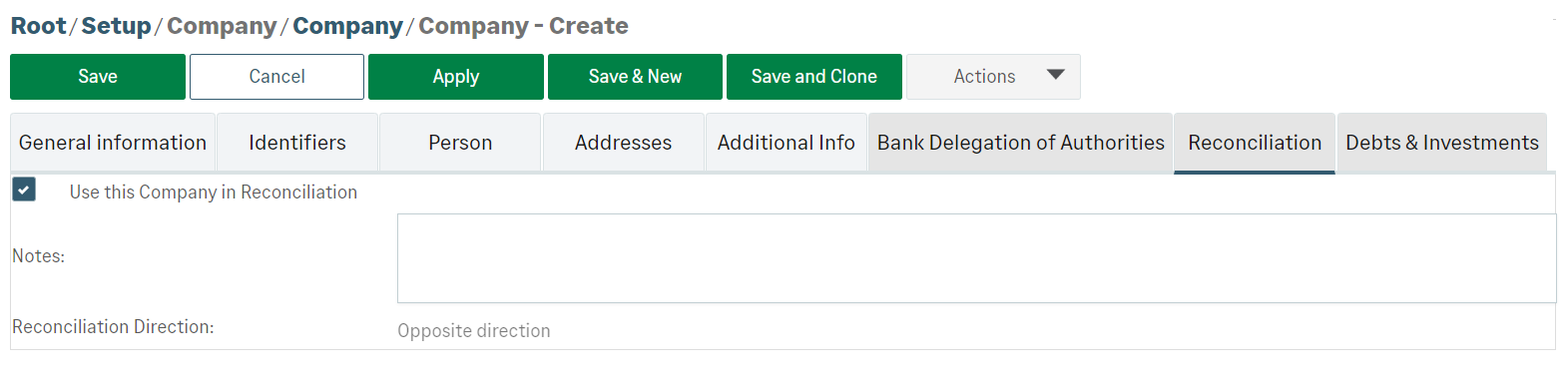
When creating companies, select the Use this Company in Reconciliation option in the Reconciliation tab of the form.
When creating bank accounts, select the Use this Account in Reconciliation option in the Reconciliation tab of the form.
The last step consists in associating GL accounts with bank accounts. This association must be done in the Reconciliation tab of the bank account setup.
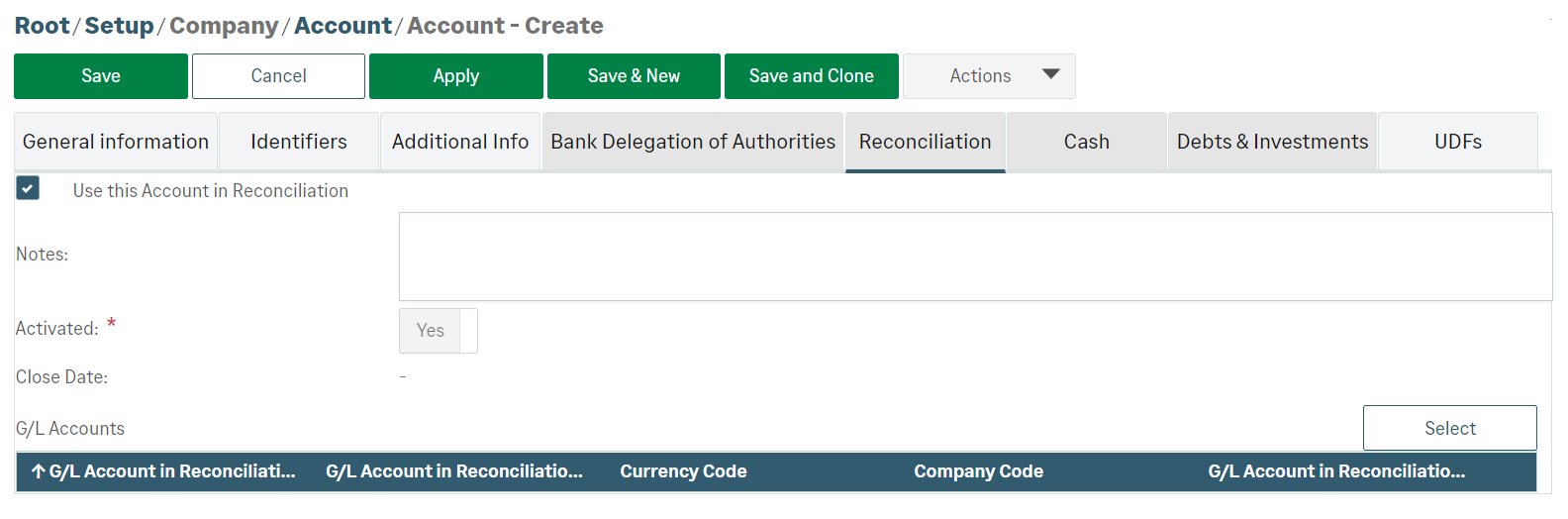
A bank account can be associated with several GL accounts, providing they are held by the same company and in the same currency.
Info
You can modify these settings using the edition function (Pencil icon) which corresponds to the editable elements in every list of Reconciliation module.


