Sage XRT Solution 2026
Platform
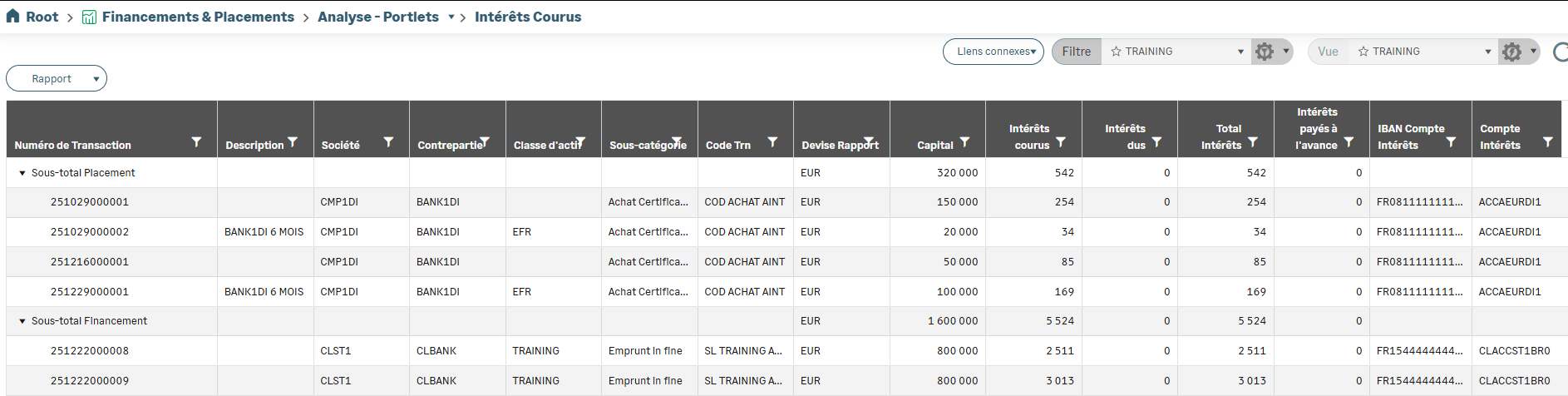
Improved grids
Grids have been redesigned and many customization options have been added:
Grid borders
Customization of column header colors
Rearranging columns by drag and drop
Custom column width configuration
Ability to freeze a column
Ability to merge rows (Span row)
Adjusting row height (controls the number of rows displayed)
Saving sorts on calculated columns
Saving changes to the grid on the fly
Grouping several columns under a single header

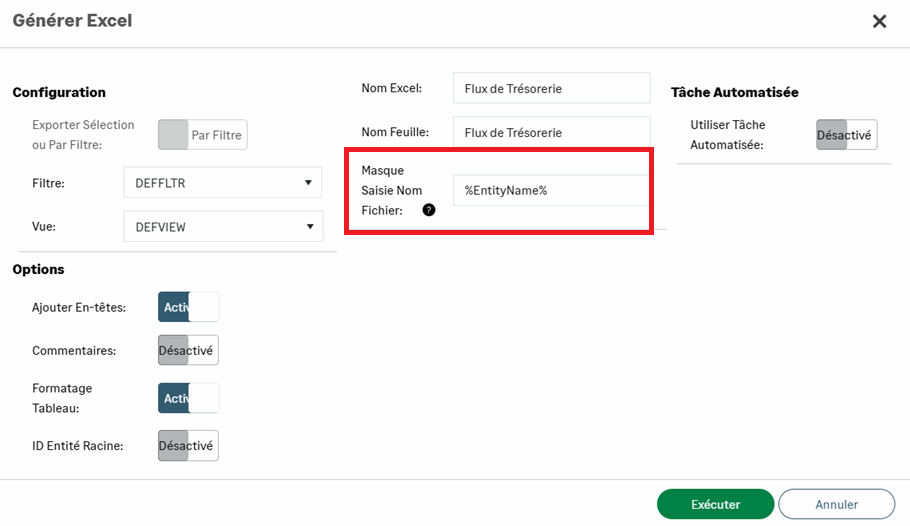
Naming exported files
A set of dynamic variables allows you to define and customize the name of exported files:
%Date%: current date
%DateTime(C# DT formatting options)%: date and time with custom format
%EntityName%: name of the entity
%LocalizedEntityName%: localized name of the entity
%FilterName% or %FilterId%: name or identifier of the filter
%ViewName% or %ViewId%: name or identifier of the view
%CurrentUser%: name of the logged-in user
Use the \ symbol to create subfolders within the export folder.
If the field is left blank, the default name is used.
Cron expression generator
A link to a Cron expression generator has been added to allow more flexibility for scheduled tasks.
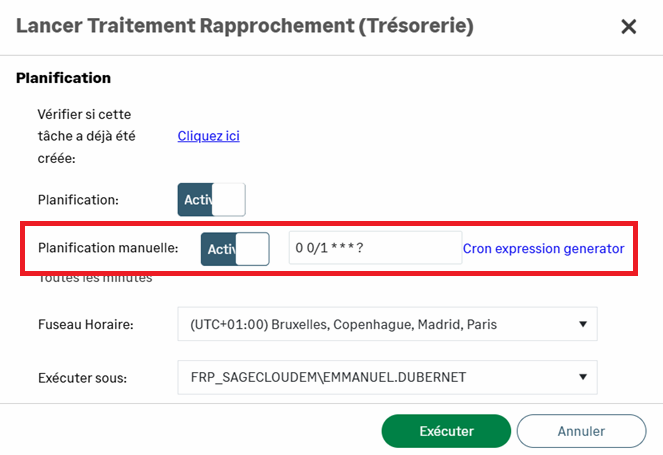
Example: Run the task every working day (Monday to Friday), every 20 minutes, between 6:00 a.m. and 8:00 a.m. = 0 0/20 6-8 ? * MON,TUE,WED,THU,FRI *
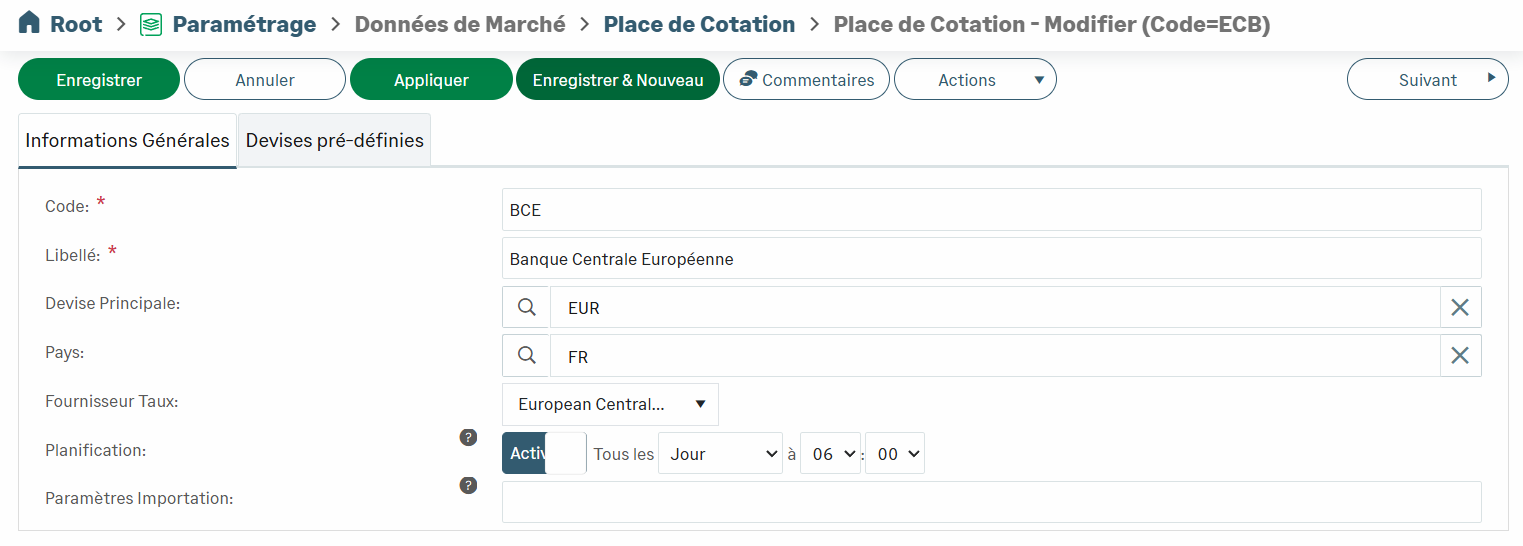
Connection to the European Central Bank API
The Sage XRT Solution platform connects to the European Central Bank API to automatically retrieve exchange and interest rates.
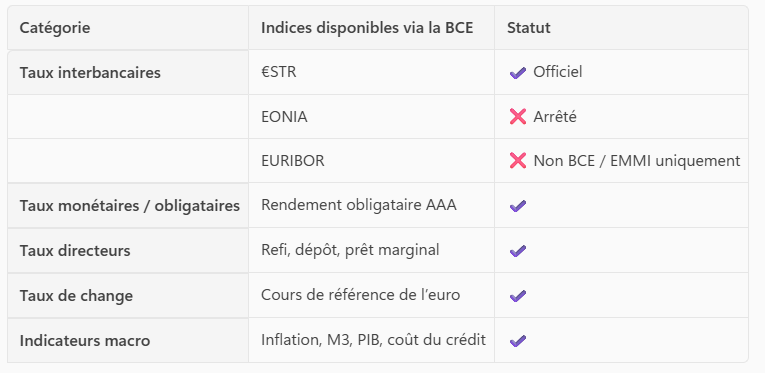
The ECB publishes a single money market reference rate: €STR.
However, it also issues other types of financial indicators, such as EURIBOR or EONIA, which may be used as economic benchmarks, even though they are not technically interbank rates.
Disabling companies
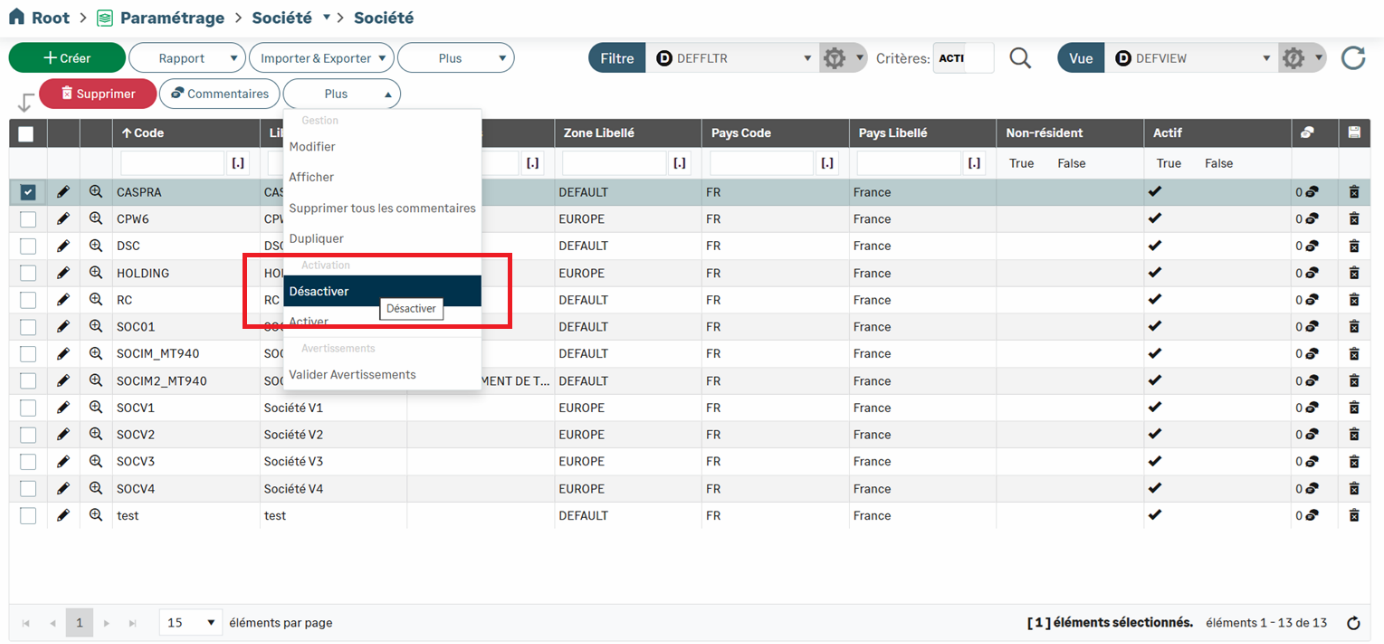
Now you can disable companies in Sage XRT Solution.
Deactivated companies are automatically deducted from the number of active companies included in the license.
You can reactivate a company at any time.
Excluding the first line during imports
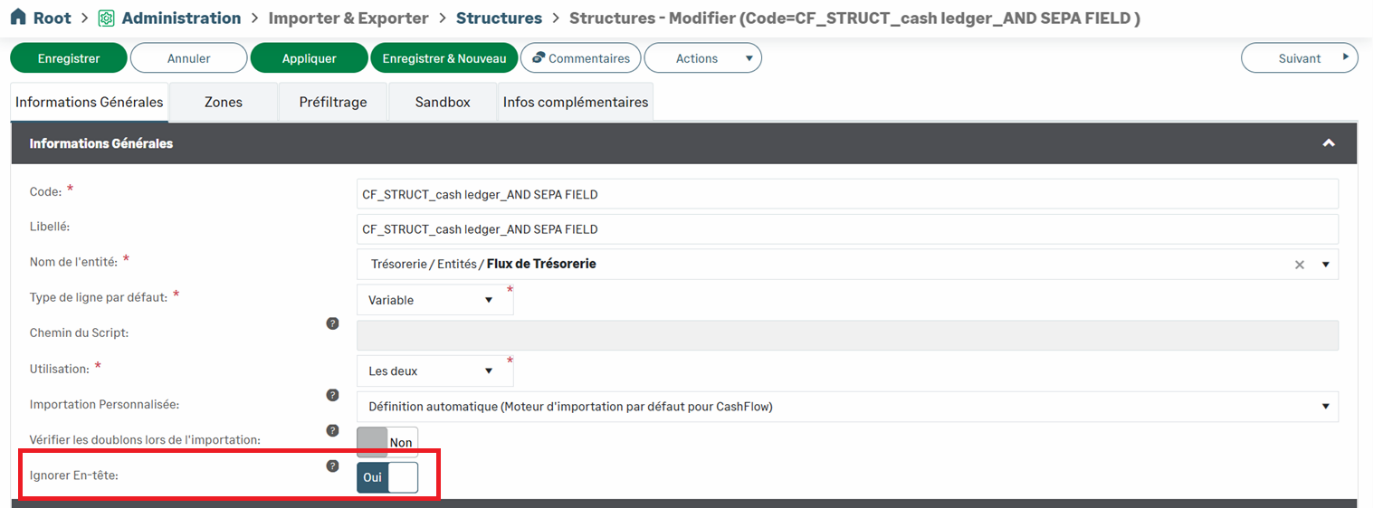
The Skip Header option has been added to the import structure. When enabled, the first line of the file is ignored during the import process.
This feature is particularly useful for removing header rows from CSV files (for example, column names).
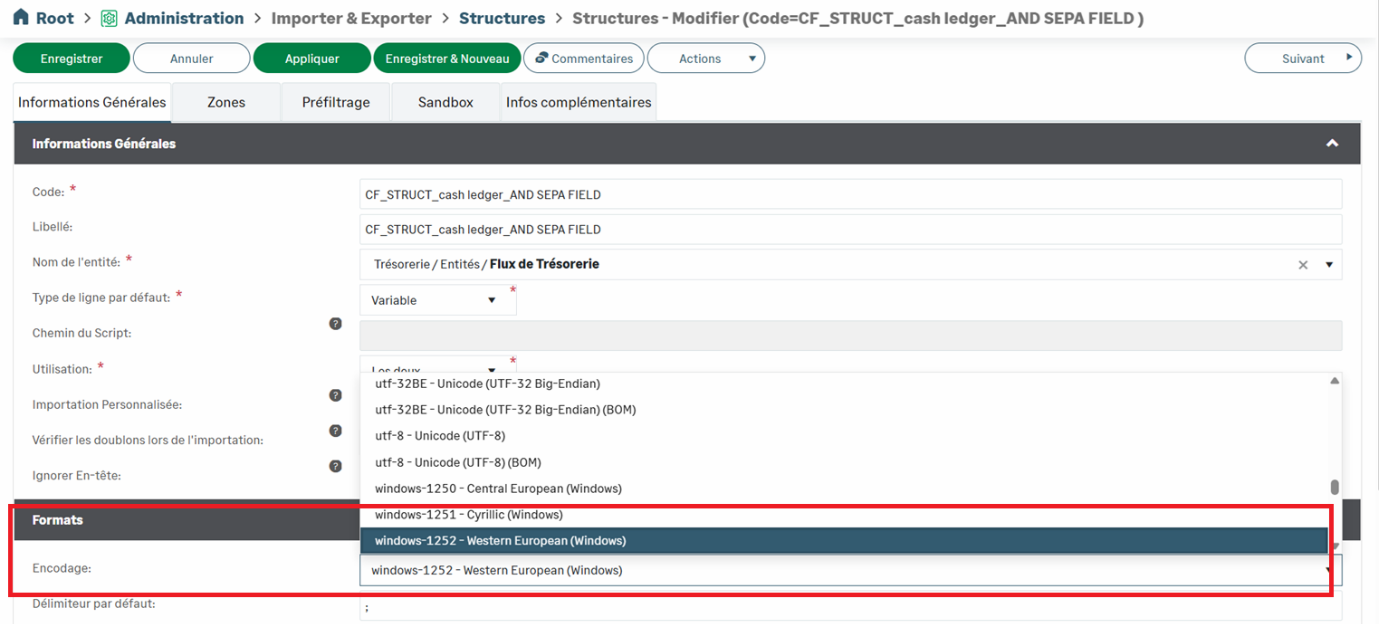
Added BOM option for UTF encoding
You can now add a Byte Order Mark (BOM) to UTF-encoded files (UTF-8 and UTF-16). This option ensures better compatibility with some software that uses this marker to facilitate the detection of UTF encoding, and thus reduces the risk of errors during imports.
The BOM is a special sequence of bytes placed at the very beginning of a text file.
Its purpose is to indicate the Unicode encoding used in the file (UTF‑8, UTF‑16, UTF‑32) and, for some formats, the byte order (endianness).
Amount separators in CSV files
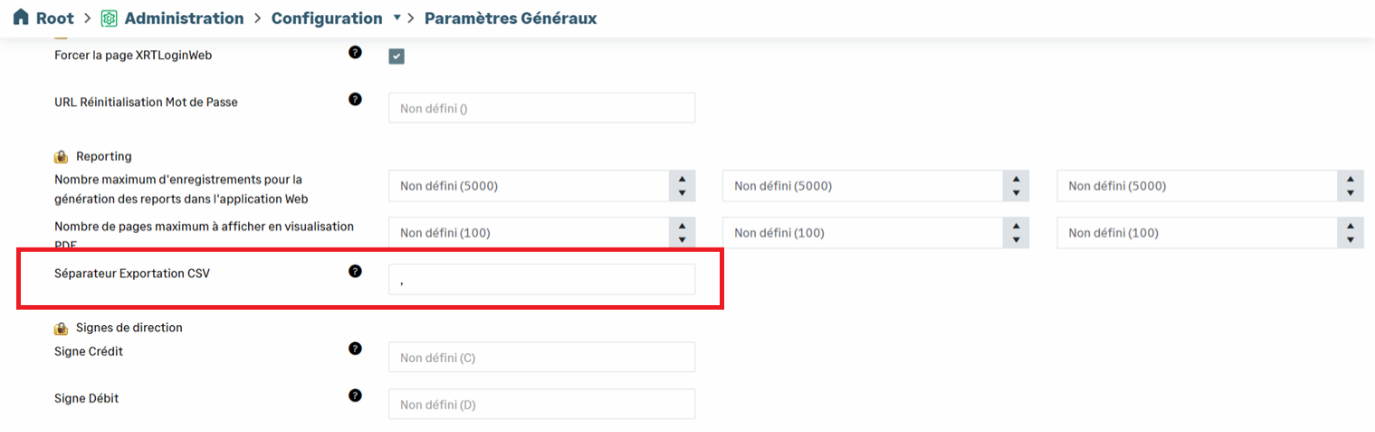
When importing a CSV file, you can define the character used as a separator for amounts. This option allows you to adapt the data format to local requirements.
Session timeout
A mechanism for checking the session timeout has been added.
This enhancement strengthens security by automatically closing inactive sessions after a defined period of time.

Bank Area
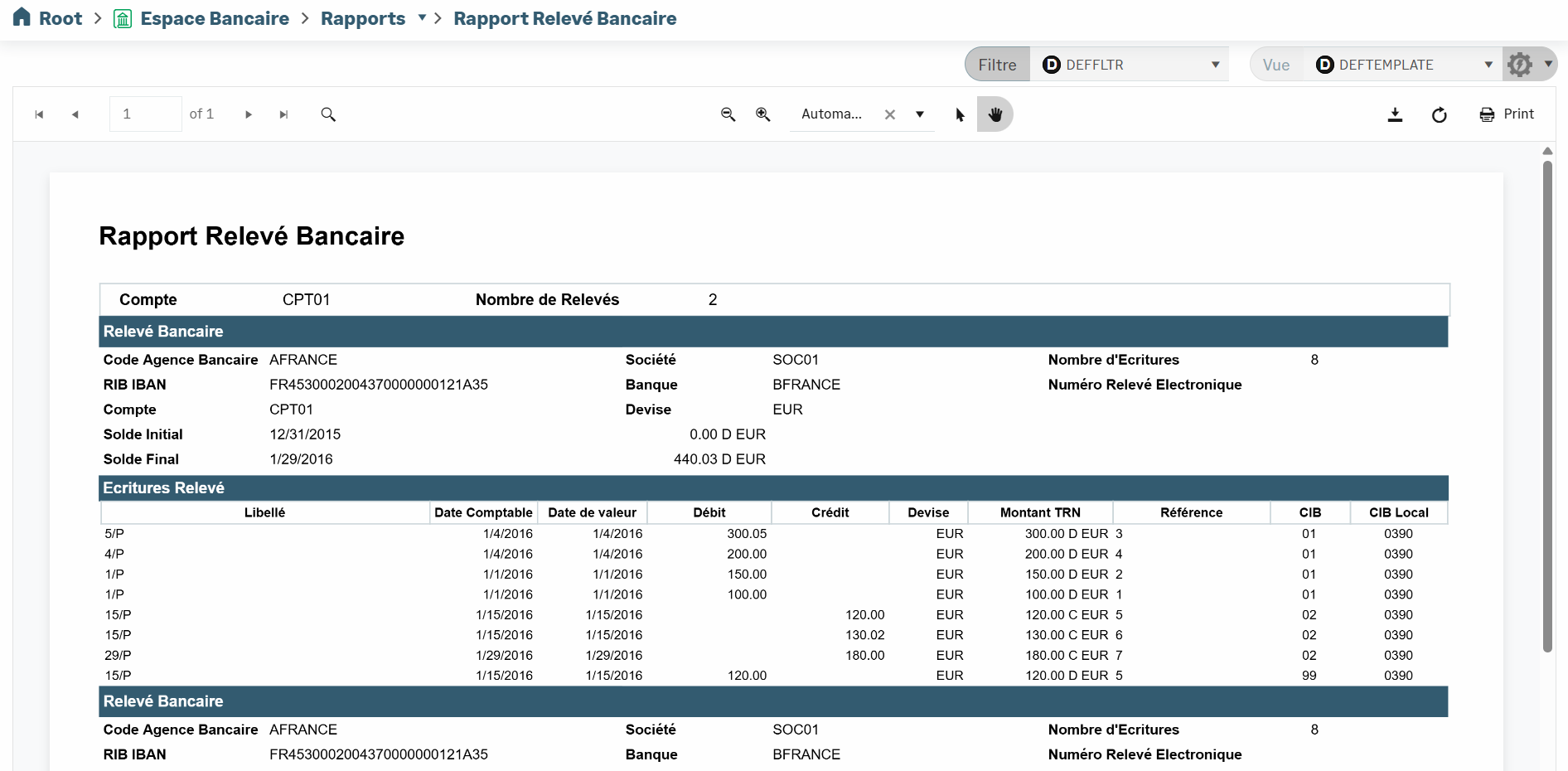
New Bank Statements report
A new report dedicated to Bank Statements is available.
It allows you to view all the statements integrated into Sage XRT Solution and export them in PDF or Excel format.
Branch Settings menu
A new menu dedicated to bank branches has been added to support the reorganization of the Global Application Settings menu.
The Branch Settings menu allows you to configure all options related to bank imports for both Reconciliation and Cash modules.

Bank Statements Grid Portlet
The new Bank Statements Grid portlet provides an overview of the integration of bank statements within Sage XRT Solution.
It allows you to monitor, in one single place, the processing status of imported statements, as well as their correct integration into the various functional modules.
For each bank account configured in Sage XRT Solution, the portlet displays:
the number of statements imported/expected
the number of statements successfully integrated into the functional modules
the number of entries imported
the number of identified entries in error
the number of entries imported with warnings (for example, with balance control overriding)

Cash
CPW Filter
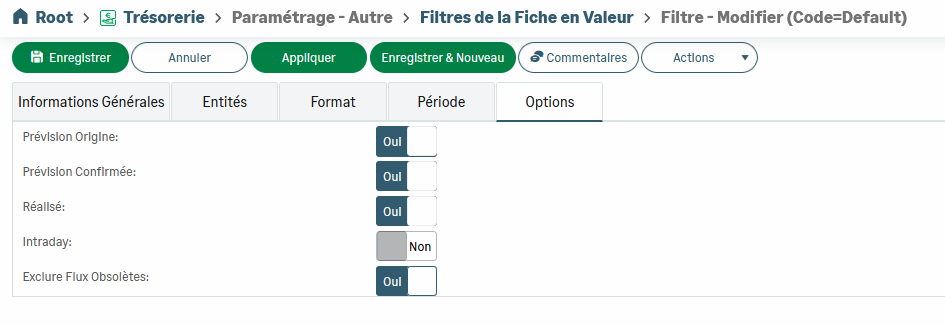
Two new options have been added to the CPW filter:
the ability to exclude Intercompany Accounts,

the ability to exclude Outdated forecast flows (prior to D‑1) from balance calculations.
Treasury Budget
The new Treasury Budget feature offers you a wide range of options to manage and monitor your budget:
importing data from an Excel spreadsheet or manual entry within the application,
creating multiple budget revisions to track changes over time,
comparing budget data with cash data in real time,
comparing two budget revisions,
importing actual data from Cash at any time to build a mixed budget combining budget forecasts and actuals.
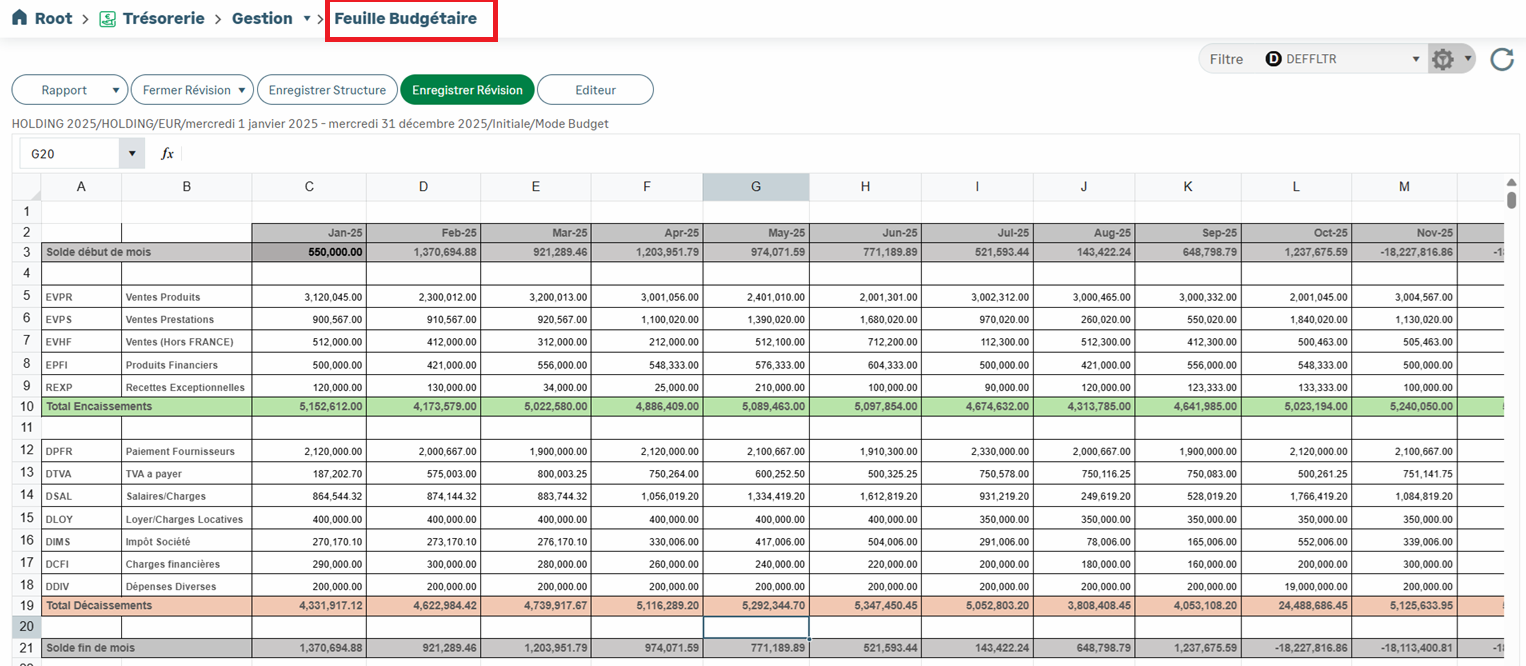
For more information, feel free to consult the dedicated topics on the Help Center: Treasury Budget.
Budget Console
The Budget Console is a new control and analysis tool that accompanies the Treasury Budget feature.
It enables the analysis of budget data for a Company or a Company Group. The analysis is comprehensive, providing a high‑level to detailed view, down to the level of Budget Categories, and even Budget Codes, for detailed and accurate monitoring.
The Budget Console Structure allows you to customize the presentation of data.
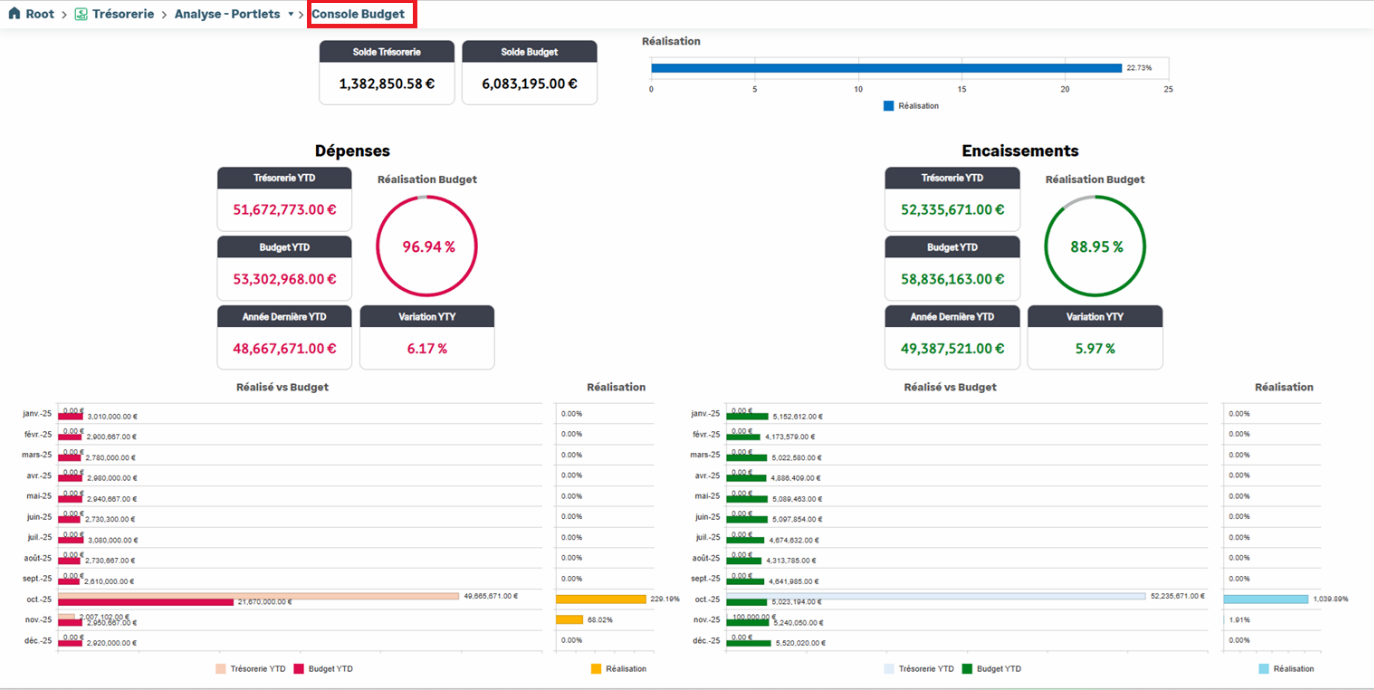
For more information, feel free to consult the dedicated topics on the Help Center: Budget Console.
Balance Console
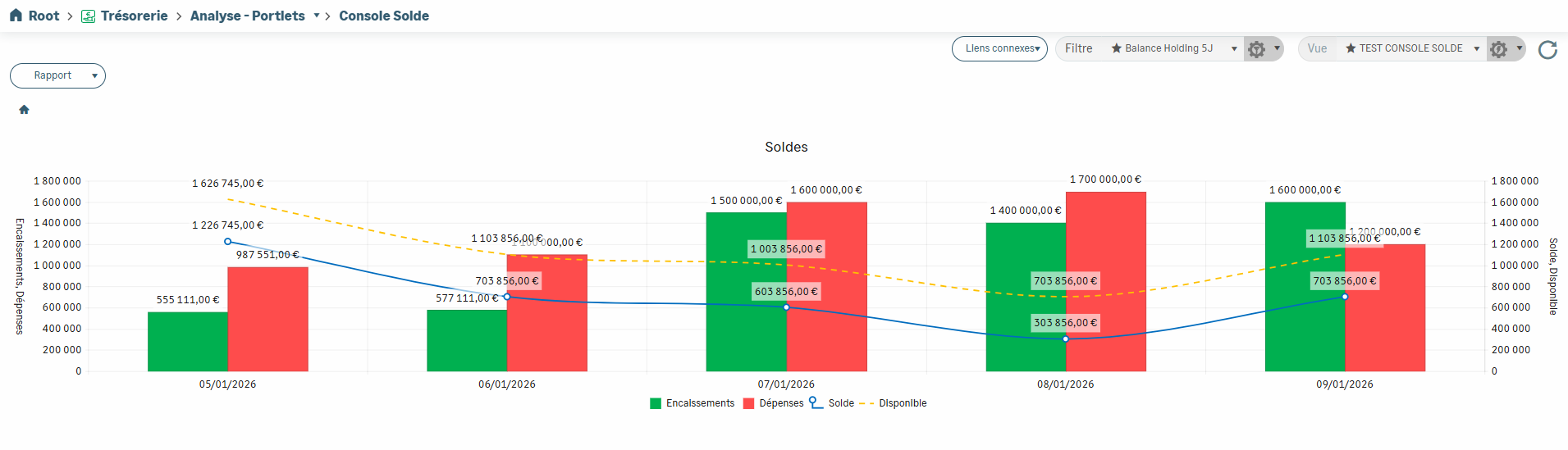
The Balance Console is a new feature that provides a unified, up-to-date view of all balances issued from the various bank accounts in Sage XRT Solution.
It offers you a concise and cross‑functional overview of your Cash positions, while still allowing for detailed, account‑by‑account exploration.
The Balance Console Structure allows you to customize the presentation of data.
Intraday management
Sage XRT Solution now supports Intraday Bank Statements. This feature allows you to integrate and process bank transactions in near real time, providing better visibility and more accurate monitoring.
Two types of formats are supported:
bank statement formats such as CAMT052 and MT942,
bank APIs and financial site providers, including Afterbank in Spain. This capability is primarily designed to address the Spanish market.
From the Administration — Global Application Settings menu, uncheck the Intraday disabled option under the Module: Administration — Import Bank Files entry to allow the import of Intraday Statements to the platform.

Intraday-related options can be set from the Bank Area — Setup — Branch Settings menu.
This configuration can be applied at the global, bank, branch, or branch country level.
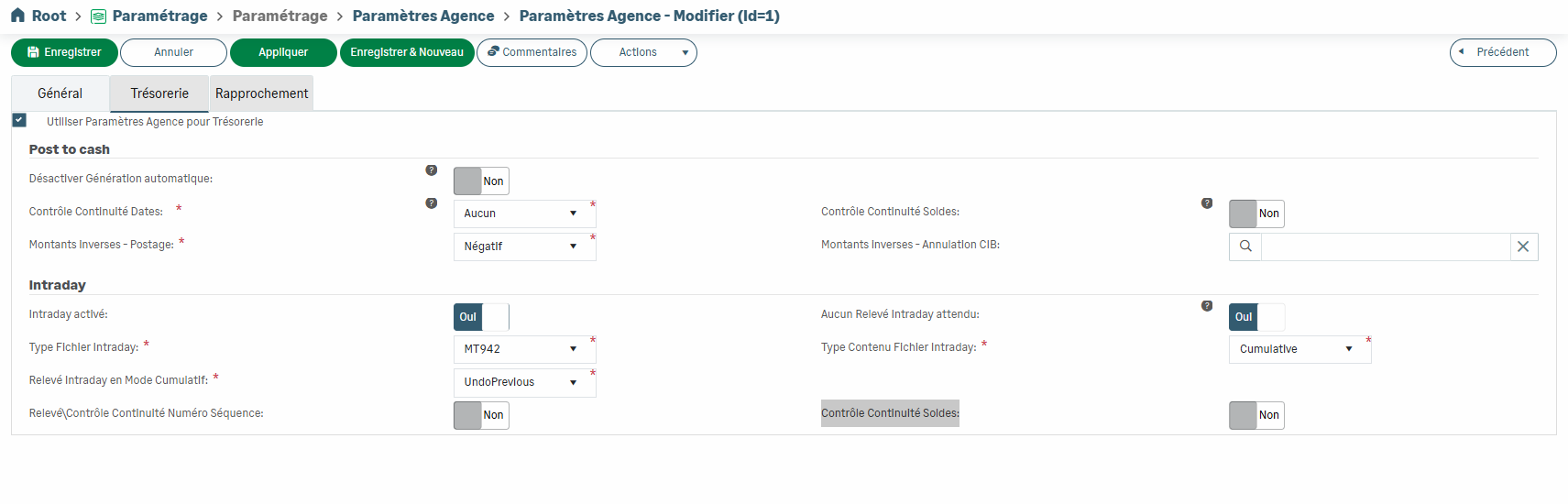
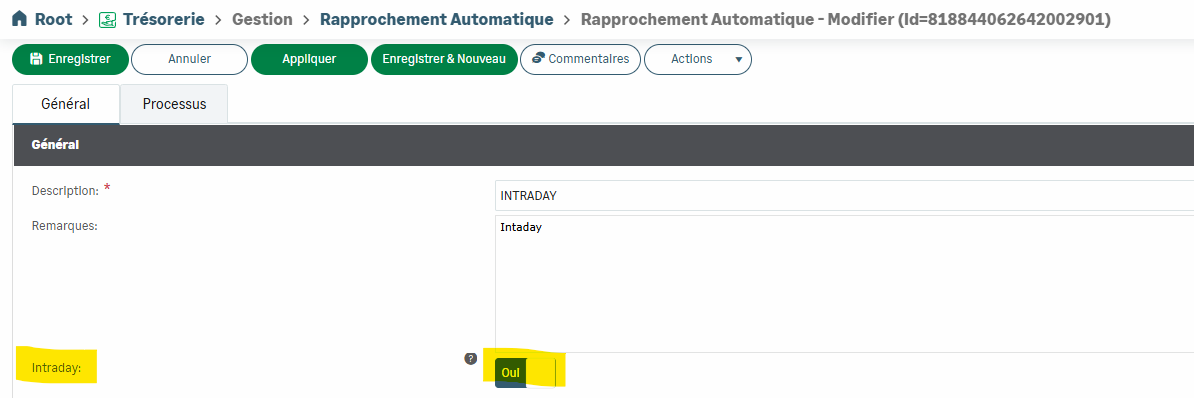
Reconciliation in Cash module works in the same way as for standard bank statements. However, the Intraday option must be enabled in the Automatic Reconciliation feature.
Dashboard improvements
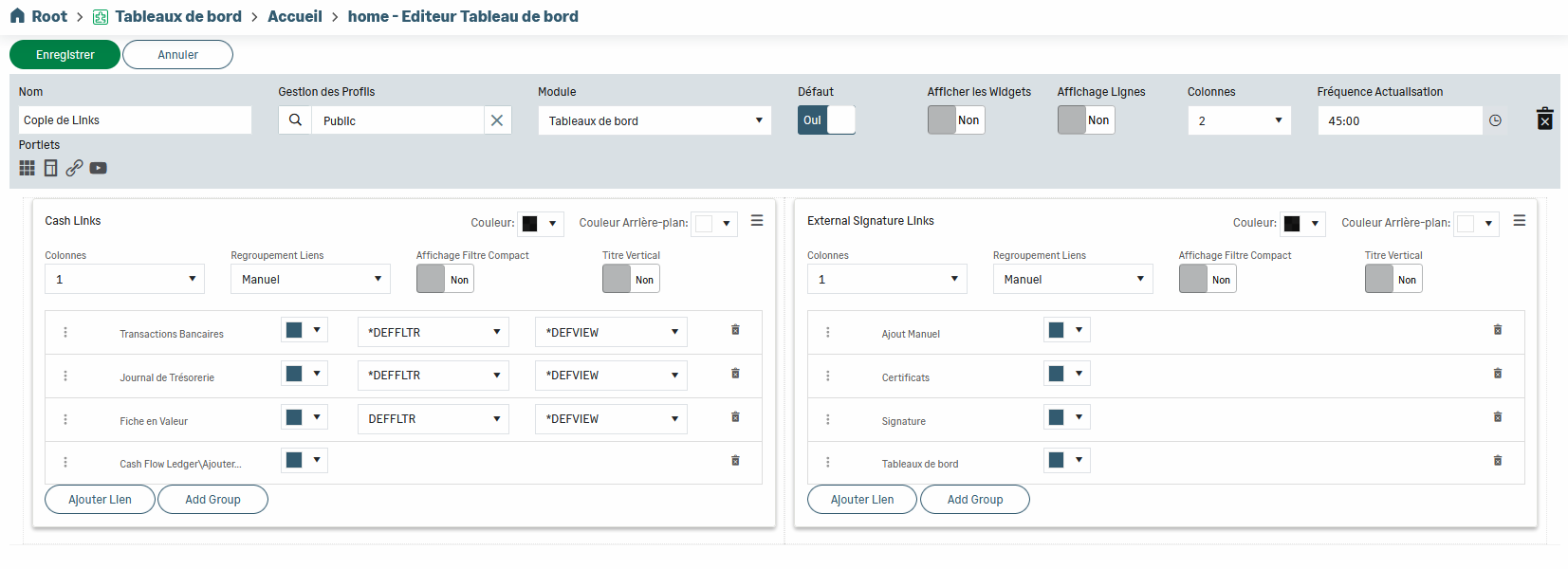
Customization capabilities and new display options have been added to allow you to tailor Widgets and Dashboards to your specific needs:
refresh interval
display of 1 to 4 KPIs within the same widget
display of an account balance (enabling the view by company, bank, etc.)
ability to change the name of a KPI
custom colors
widget styles
simple line
arc gauge
circular gauge
radial gauge
linear gauge
definition of gauge colors (continuous/by range)
one-click Dashboard editing
display of 1 to 4 columns per row
column splitting into 2 or 3 sub-columns
Payment
New BEI and NCC identifiers
Two new predefined identifiers have been added to meet the specific requirements of certain exchange formats: BEI (Business Entity Identifier) and NCC (National Clearing Code).
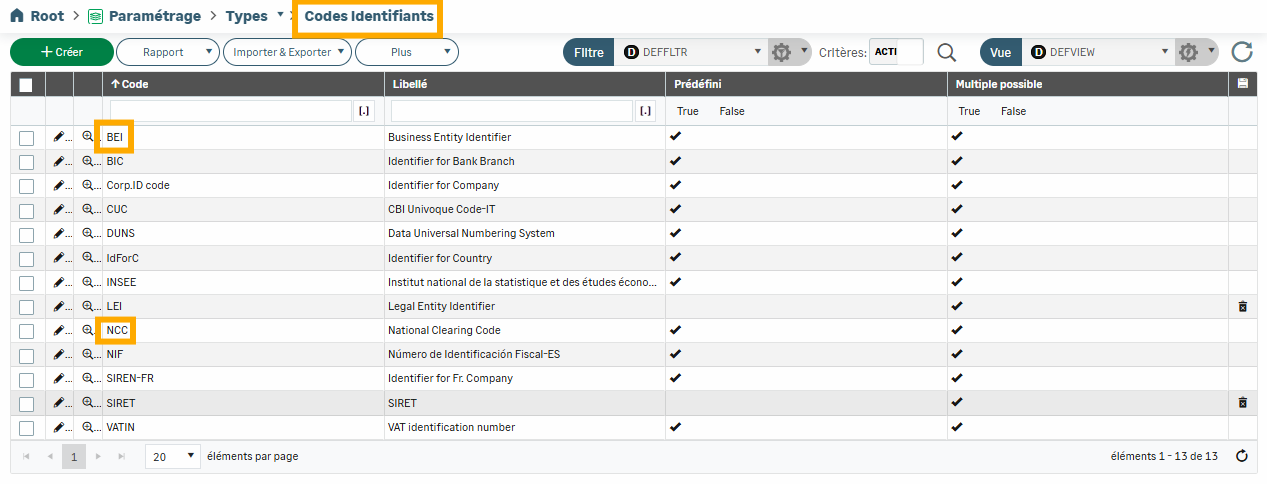

Note: you can modify the additional information of preset elements by enabling the Debug elements option from the Administration — Global Application Settings menu.

New INST instruction
The INST instruction has been added to the payment creation/modification forms to process SEPA instant credit transfers.
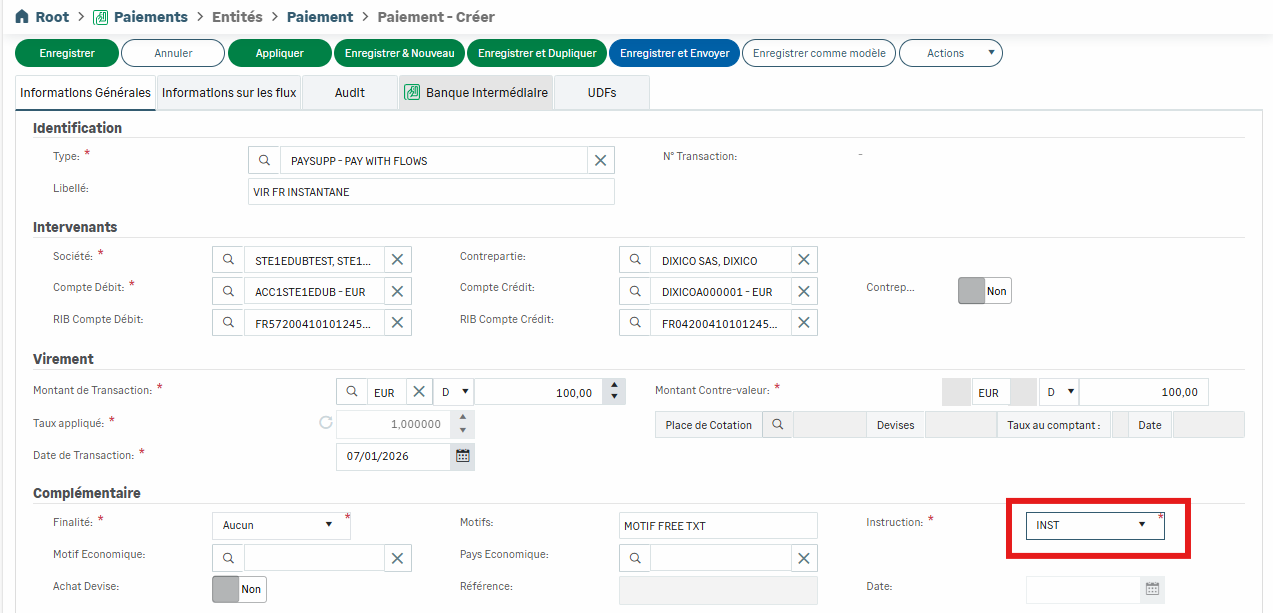
The DTSPAYCAT_TRANS_PAY transcoding table must be defined beforehand in Sage XRT Common Services.

Debts & Investments
Support of Certificates of Deposit
Debts & Investments module allows you to easily save, monitor and manage your Certificates of Deposit.
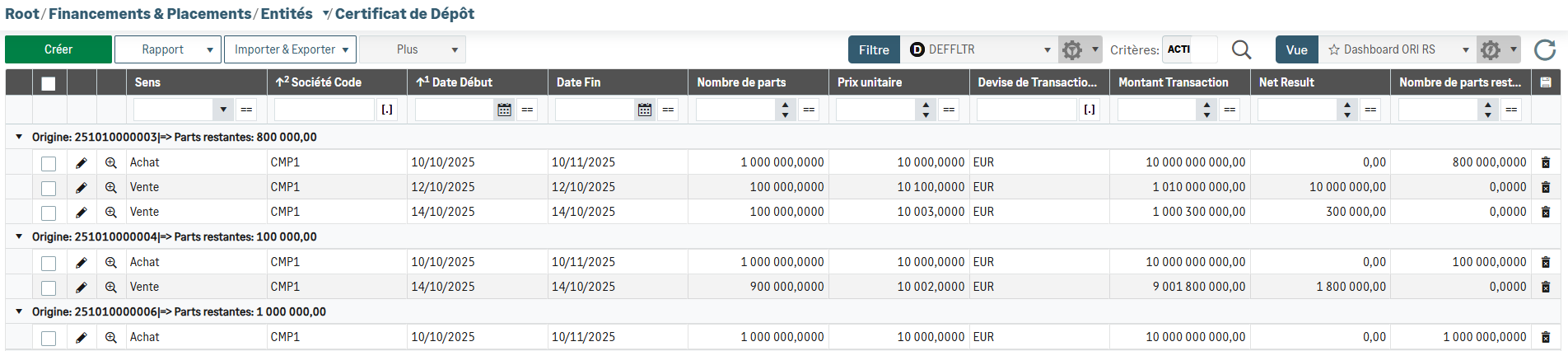
Your purchases and partial or full sells are therefore fully integrated into Sage XRT Solution platform.
Regulated Interest calculation
For early repayments of in fine transactions, you can now choose the calculation of regulated interests, i.e. based on the repaid amount and the period between the start date of the initial transaction and the early repayment date.
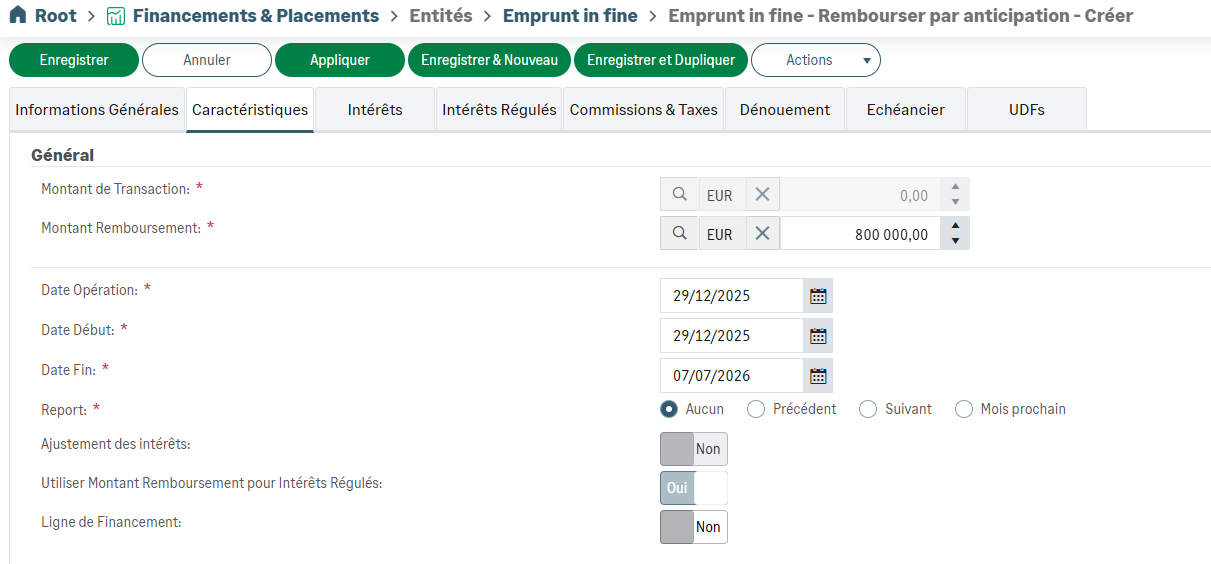
Fees and taxes for these transactions can also be calculated based on these regulated interest.
Predetermined Rate
The Predetermined option has been added to the Principal tab for term and leasing transactions.
The rate applied is based on the selection defined for each of the two relevant tabs (Principal and Interests).
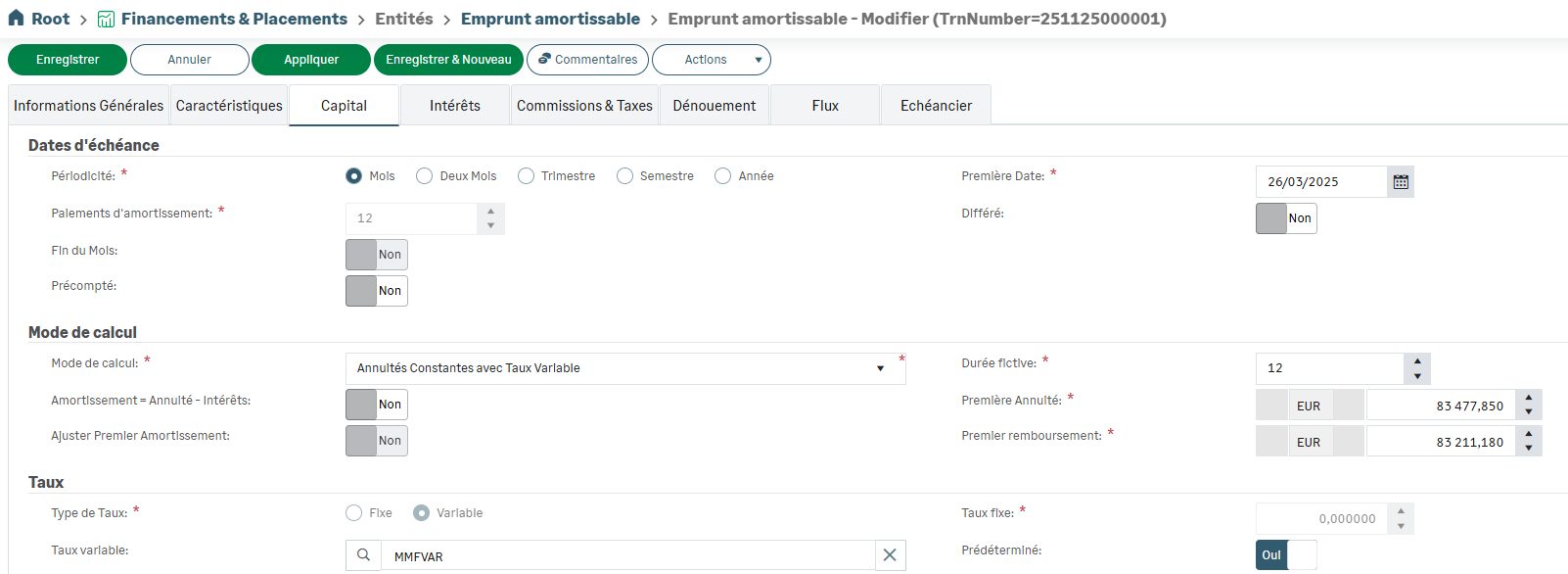
Differentiated calculation bases
You can apply a different calculation basis for the transaction itself, for broken periods, and for regulated interest.

Financing/Investment Lines
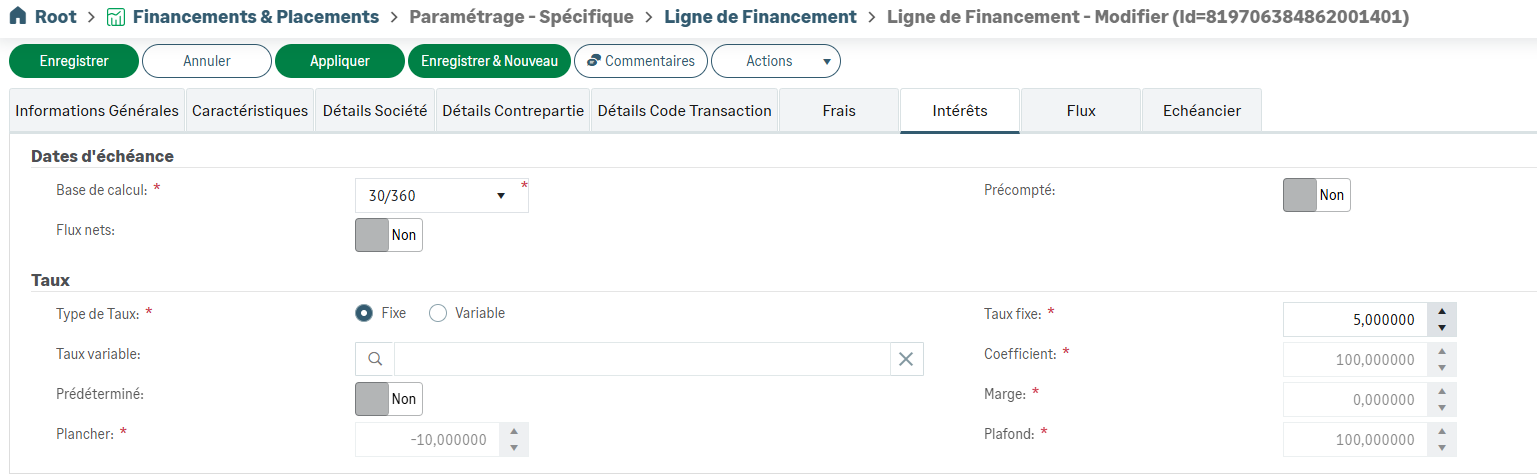
New data entry possibilities have been added for Financing and Investment Lines.
You can now decrease the overall authorization amount, even if the Financing/Investment Line is currently in use. You must update the amount in the table on the Characteristics tab, save your entry, and then save the Financing/Investment Line.
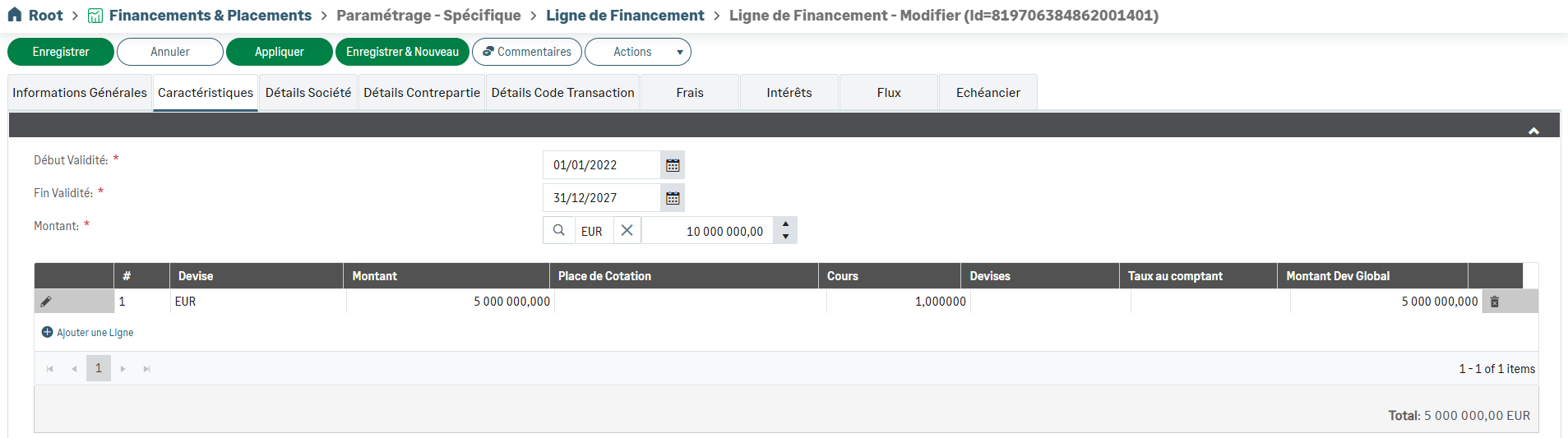
In a transaction linked to a Financing/Investment Line, the Interests tab now allows you to view the values of the corresponding line.
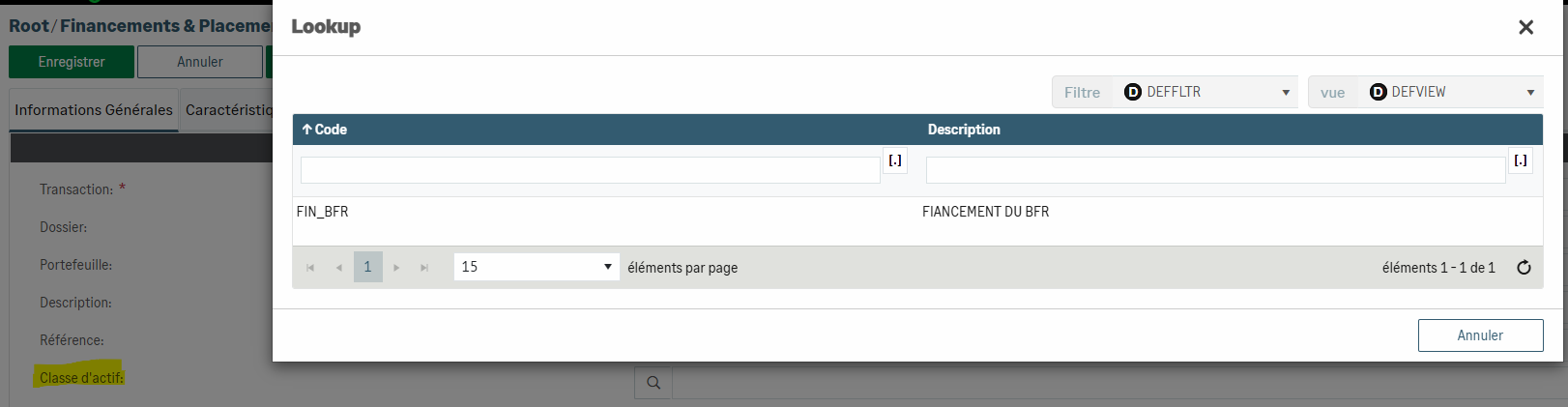
Addition of the Asset Class field
For each instrument, the Asset Class field allows you to distinguish specific transactions.
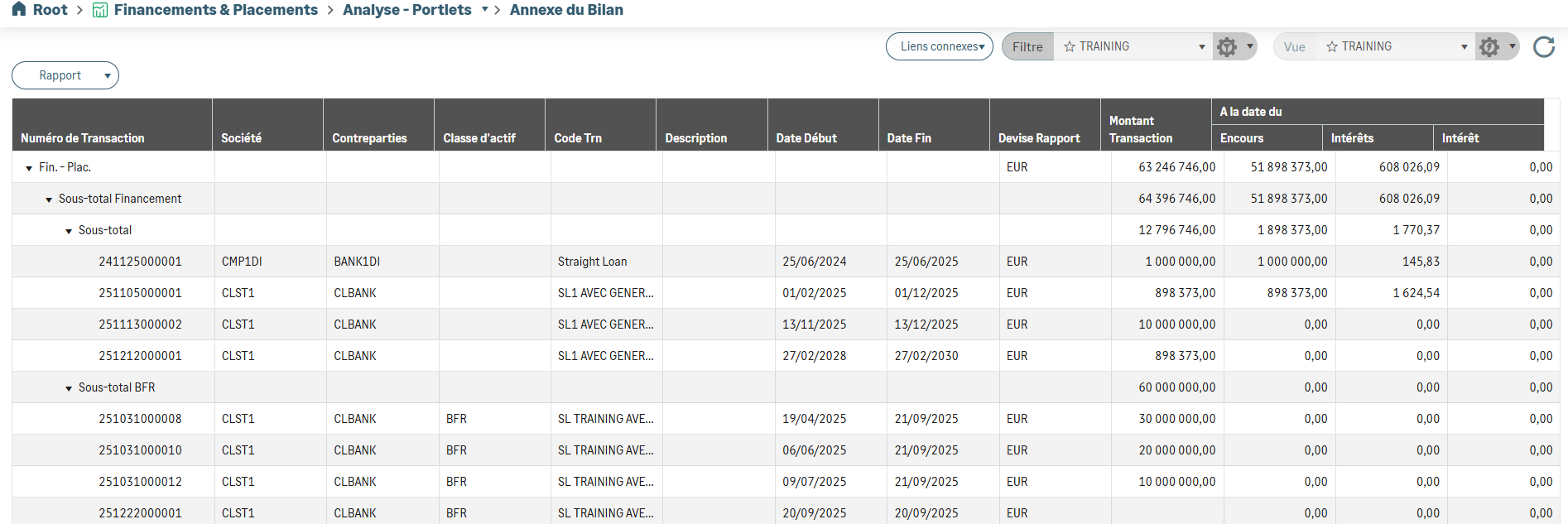
As a result, the information from the Asset Class field can be used as an analysis axis in Grids, as well as in Portlet Reports (Outstanding, Balance Sheet Notes, Accrued Interests, and MF Ledger).
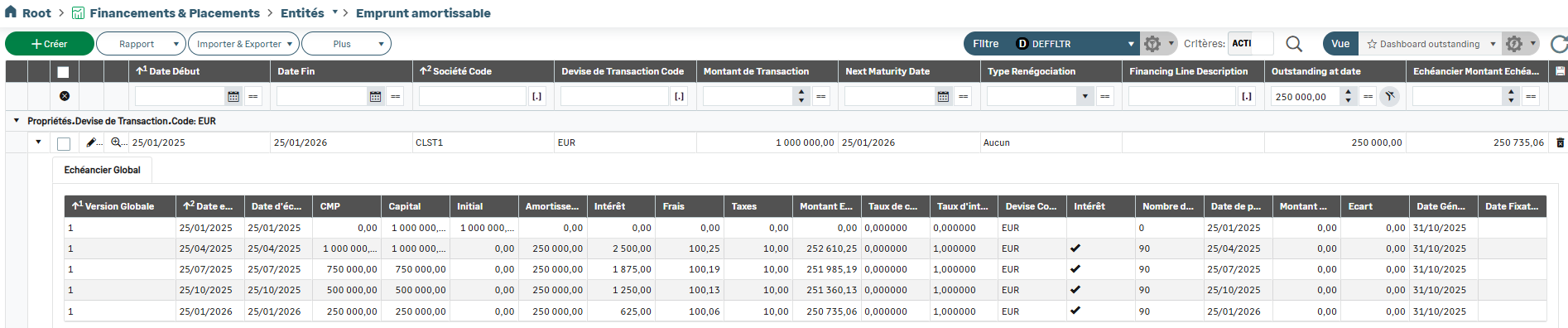
Outstanding amount to date in grids
For each instrument, you can display the outstanding amount as of a specific date using a new filter condition.
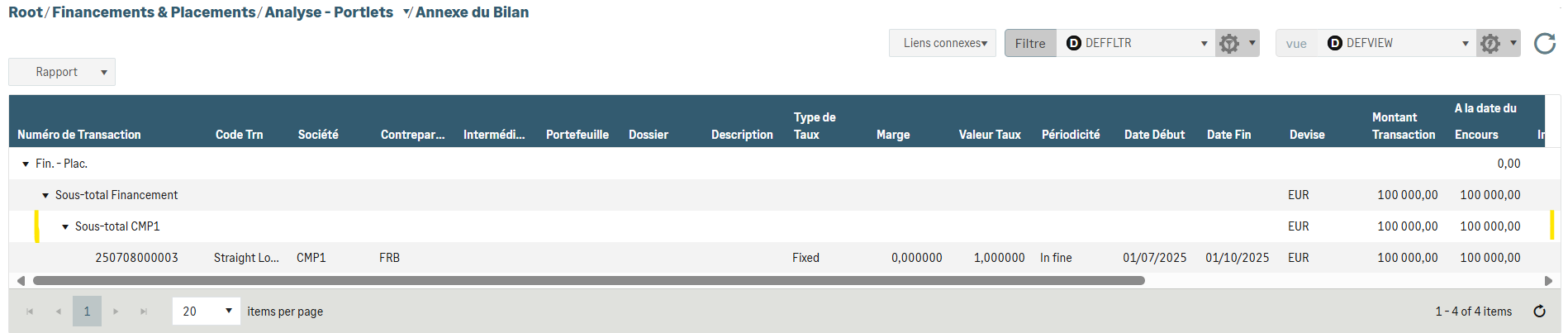
Subtotals by dimension in the Balance Sheet Notes
For each instrument, you can display a subtotal per dimension in the Balance Sheet Notes when the Display Total Only option is enabled.
New columns in the Accrued Interests report
All dimensions are now available as columns in the Accrued Interests report.
The Interest Account (account code) and Interest Account IBAN columns are also displayed.