Creating Extended Mandates
After the setting of a company and a counterparty, you need to create the mandate which links both entities.
Receipts module provides the extended mandate approach which simplifies the input of a mandate and the directs debits it originates through a single form.
-
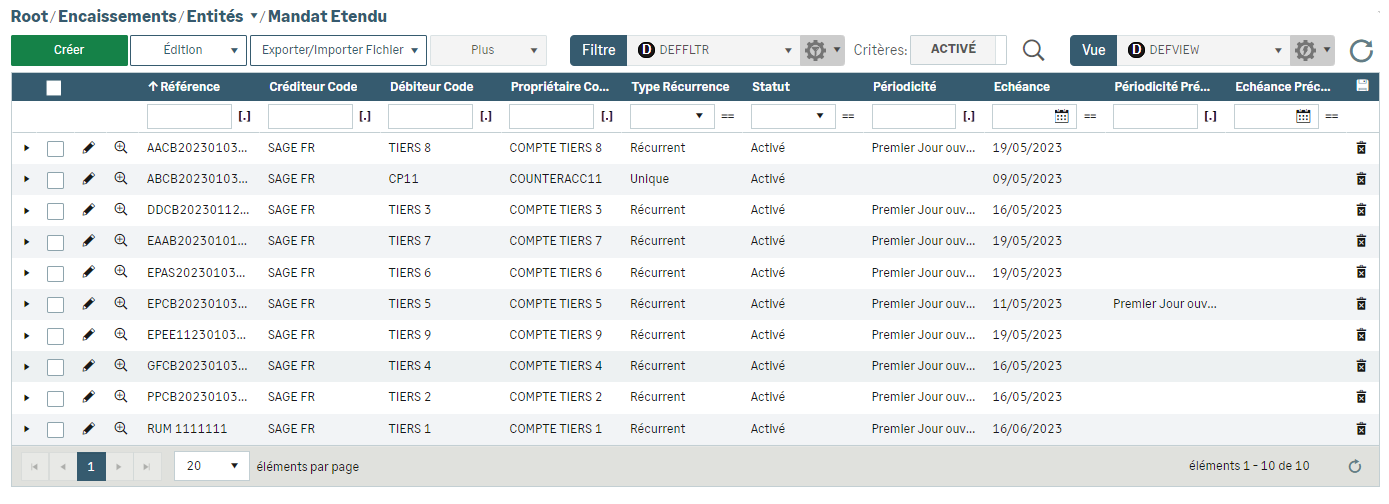
To do so, select Extended Mandate from the Entities menu.
The Mandates list appears.
-
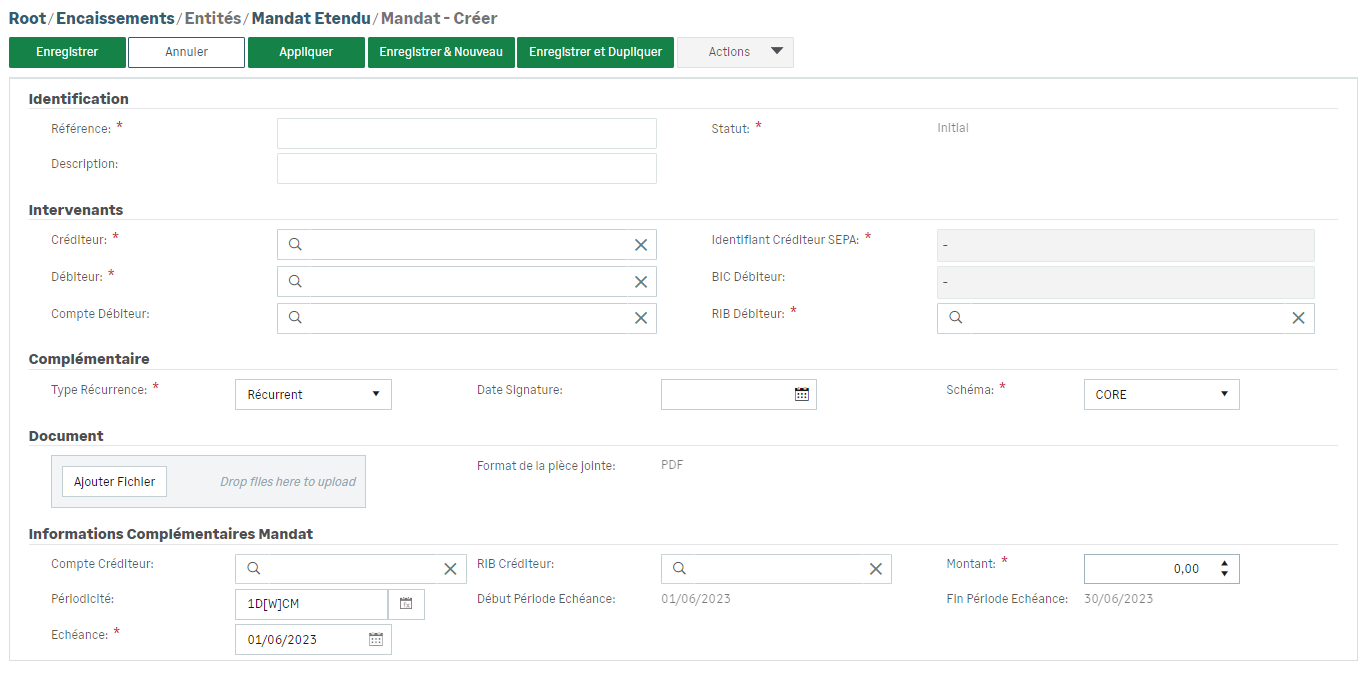
Click the Create button to open the creation form for mandates.
-
Then complete the Identification and Participants sections.
-
Add your mandate PDF file to the Document section .
-
In the Mandate additional details section, select the mandate type and complete the Amount field.
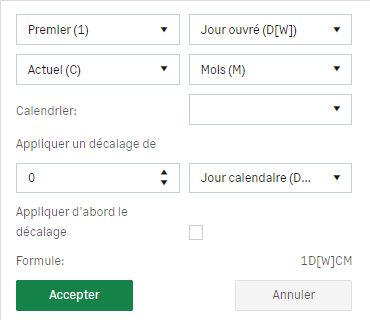
For Recurrent Type, select a Periodicity formula which schedules the exact day for the recurrent collection.
The first collection date is automatically calculated and displayed.
-
Save your entry.
After signature, your mandate is ready for the direct debits generation phase.
Info
Do not hesitate to use the buttons on top of creation and modification forms: Save & New, Save & Duplicate, Apply.
In the creation and modification form, you can access the Duplicate action within the Actions dropdown menu and when you select an item from the list in the More dropdown menu.


