Assigning Calendars
After you create a calendar, you must assign it to a bank branch or a bank.
From the Setup module, select Calendar Assignment in the Setup menu, then click Create.
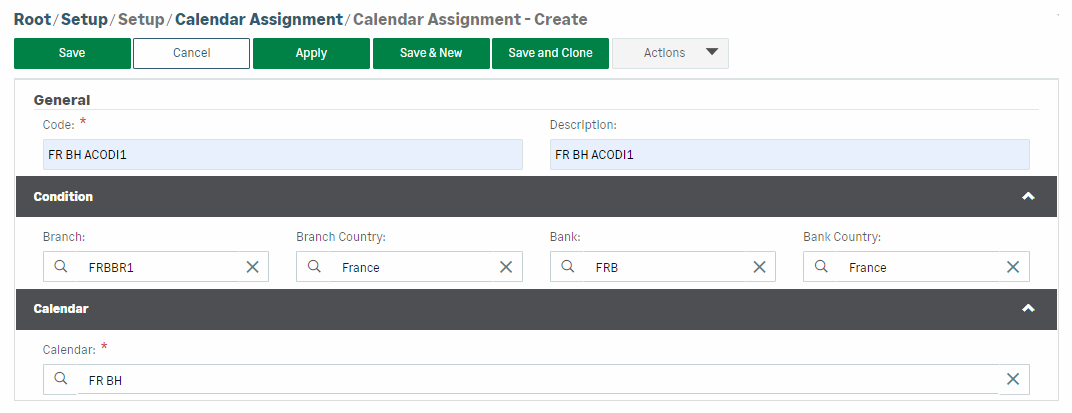
In the General section, fill in the Code (required) and Description fields to define the new assignment.
In the Calendar section, select the calendar to be used for this assignment.
The Condition section enables you to select the elements to assign the calendar to:
-
Branch
-
Branch Country (all branches attached to the selected country)
-
Bank
-
Bank Country (all banks attached to the selected country)
Click Save to validate the creation of this calendar assignment.


