Balances Initialization
After the setup phase and before integrating the data, it is recommended to initialize the balances for all the accounts created.
For each account, you will need to specify two types of initial balances: bank balance and cash balance.
Cash Balances
-
In the Setup - Module specific menu of Cash module, select Balance records by Cash Flows.
-
Click Create.
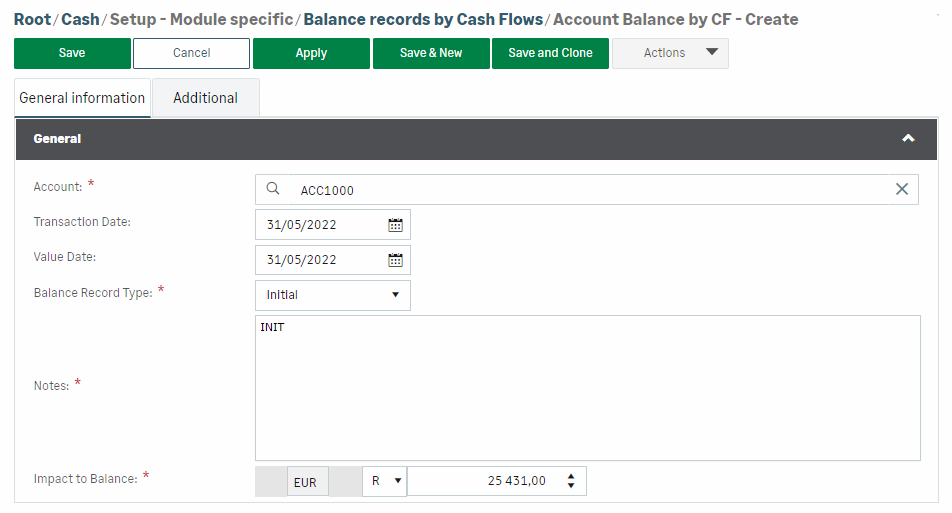
-
Account: select the cash account.
-
Transaction Date: enter the balance initialization date on transaction date.
-
Value Date: enter the initialization date on value date.
Info
You must enter a value in at least one of the two Date fields.
It is possible, for the same account, to initialize a balance on transaction date that is different from the balance on value date. To do so, you must create two separate records.
-
Balance Record Type: select Initial for the initialization phase. Correction allows you to subsequently adjust the balance if required, according to the options set for balance calculation.
-
Notes: enter a comment or a note (free text).
-
Impact to Balance: enter the final balance amount on the day before the initialization date.
-
Click Save.
Bank Balances
-
In the Setup - Module specific menu of Cash module, select Balance records by Bank Transactions.
-
Click Create.
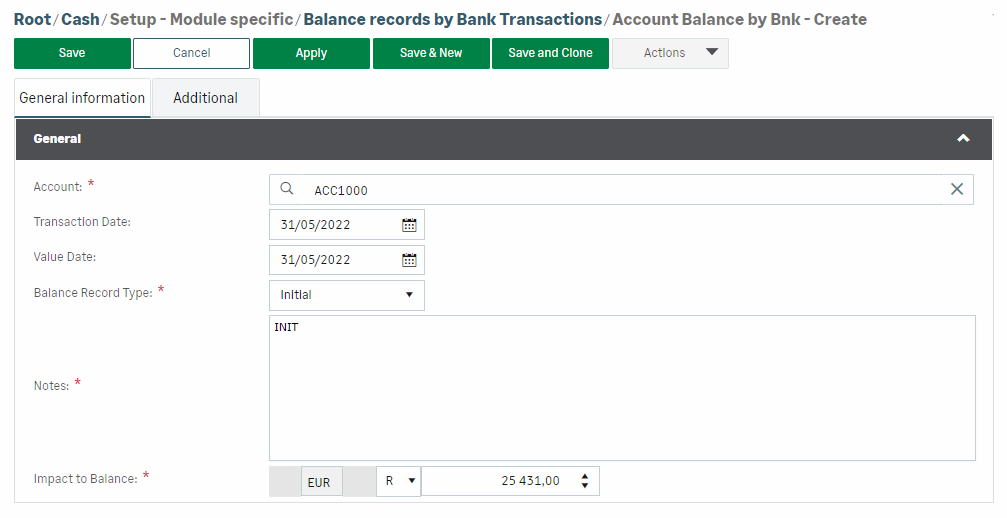
-
Repeat the steps described for entering cash balances.


