Implementation
The Treasury Budget function is part of Cash module but requires a specific license.
Common Setup
Cash module and its function Treasury Budgetare based on the Sage XRT Solution platform data and entities, these entities must therefore be entered and set up before proceeding.
To do so, go to Setup module.
For each of the following menus, make sure the corresponding entities are defined:
- Setup menu: currencies et countries.
- Bank menu: banks, branches AND bank transaction codes.
- Company menu: companies, accounts, GL accounts and GL types.
Treasury Budget
Within Cash module, the function gathers the following submenus:
- Treasury Budget in the Management menu.
- Budget Exercise, Budget Revision and Treasury Budget Filter in the Setup - Other menu.
- Budget Console in the Analysis - Portlets menu, as well as Budget Console Filter and Budget Console Structure in the Setup - Analysis.
To operate this function, you need to create a budget exercise in Sage XRT Solution and import your budget data from Excel.
Info
The Platform provides you with a Budget Console to monitor and analyze your budget. To explore its indicators and options, see the Budget Console topic.
Exercise Creation
The first step of the setup for the Treasury Budget is the creation of a budget exercise on the platform.
To do so, go to the Budget Exercise submenu in the Setup – Other menu. The Create button enables you to open the creation form for Exercises.
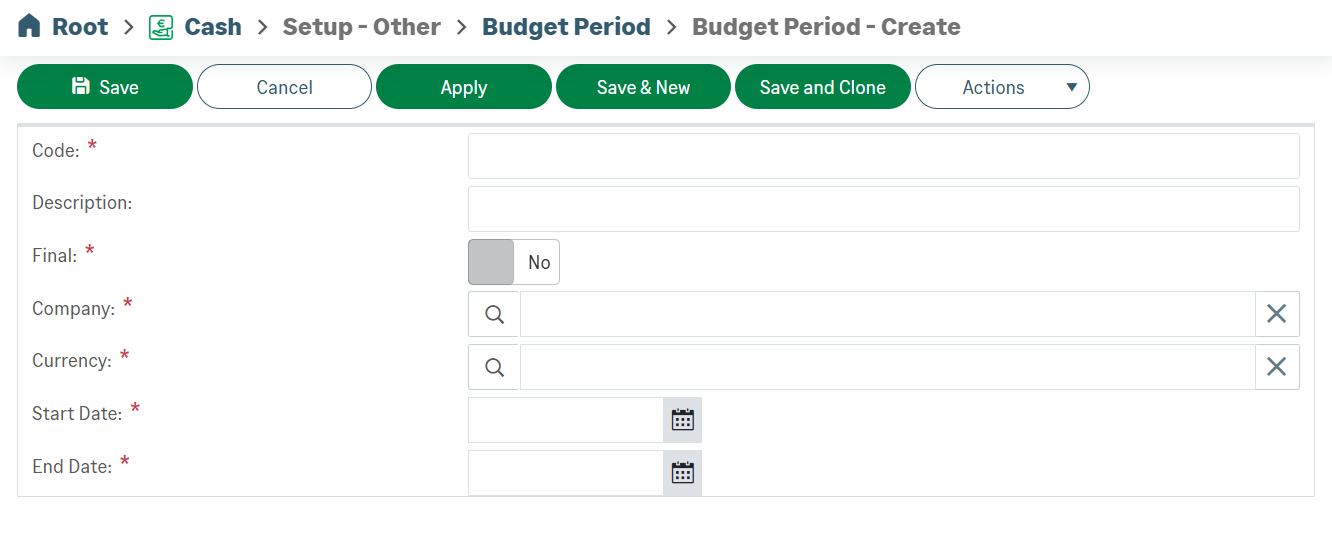
Budget exercises are defined by a period of time and by three codes: its name (Code), the corresponding company and the currency. Complete these fields and save your new exercise. It appears in the exercises list.
Excel Budget Import
The second step of the setup corresponds to the integration into the platform of your Excel budget.
-
In the Management menu of Cash module, open the Treasury Budget submenu.
-
In the Entities Configuration tab, select your budget and associate it with the Excel sheet.
-
Click Apply to import your budget sheet.
Your Treasury Budget is displayed at the bottom of your screen.
Important
The elements that cannot be interpreted, are displayed in the cells with a red background. To rectify these elements, see the Treasury Budget Operation topic.


