Sage XRT Solution 2026 R2
Platform
Improved Dashboards
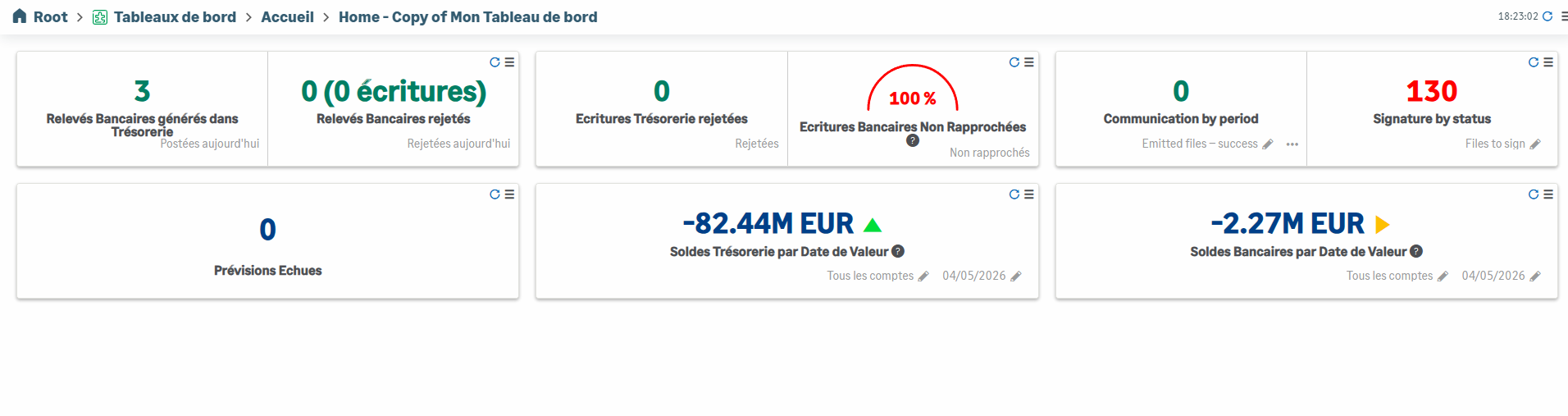
Your Cash cockpit displays new KPIs and widgets linked to signatures and communications.
The new KPI for forecast monitoring enables you to display the number and the amount of the forecasts ended (value date exceeded) and not realized.
The Balances KPI offers a new display option: All Accounts.
You can further personalize your dashboards by displaying several lines of widgets.

More Ergonomics
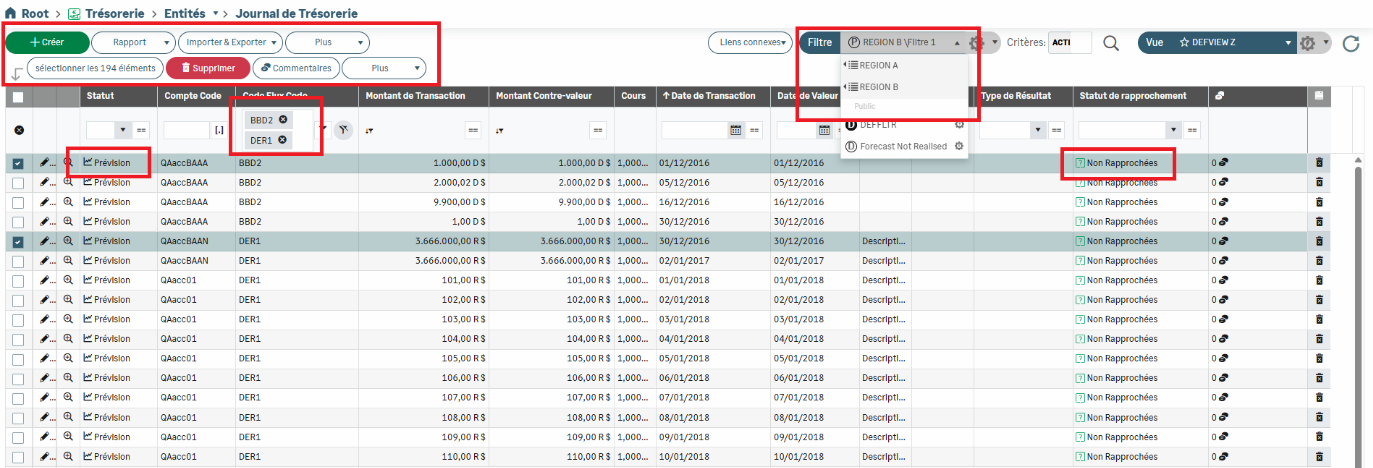
The application buttons have been revised and harmonized to improve the visual and functional consistency.
The selection of lines in ledgers is now kept during the view change, as long as filters remain the same.
The column filters include the IN logical operator, to facilitate the selection of several values in one action.
The entities linked to specific modules can be identified thanks to dedicated icons.
The new icons are more modern and more consistent specifically in forms.
The new categories enable the sorting of views and filters, for smooth identification and use.
Lines (Confirmed, Actual, etc.) now display icons which helps you to quickly spot the data types.
Redesigned General Settings
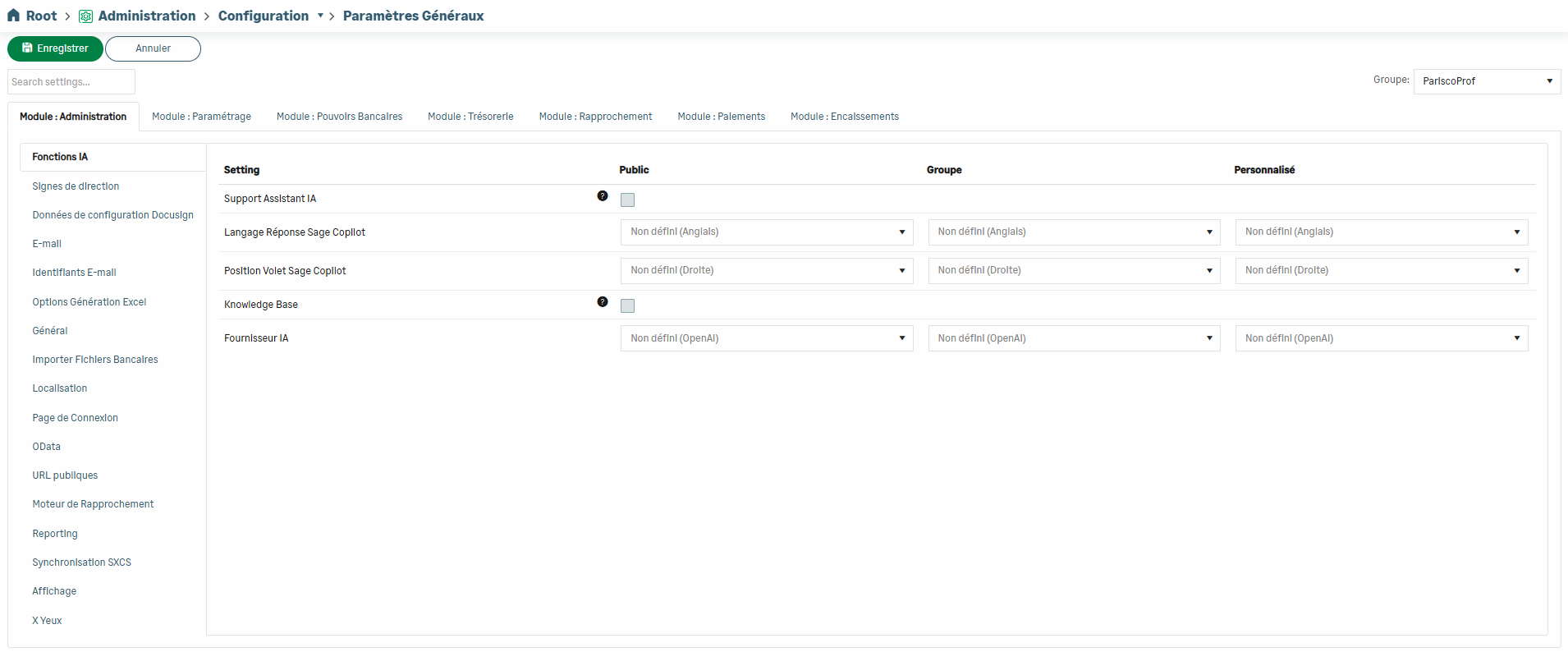
The look of the General Settings screen has been totally reviewed, with a brand new user-friendly presentation. Options are now organized by module and displayed in tabs.
A search function is also available.
Odata Improvements
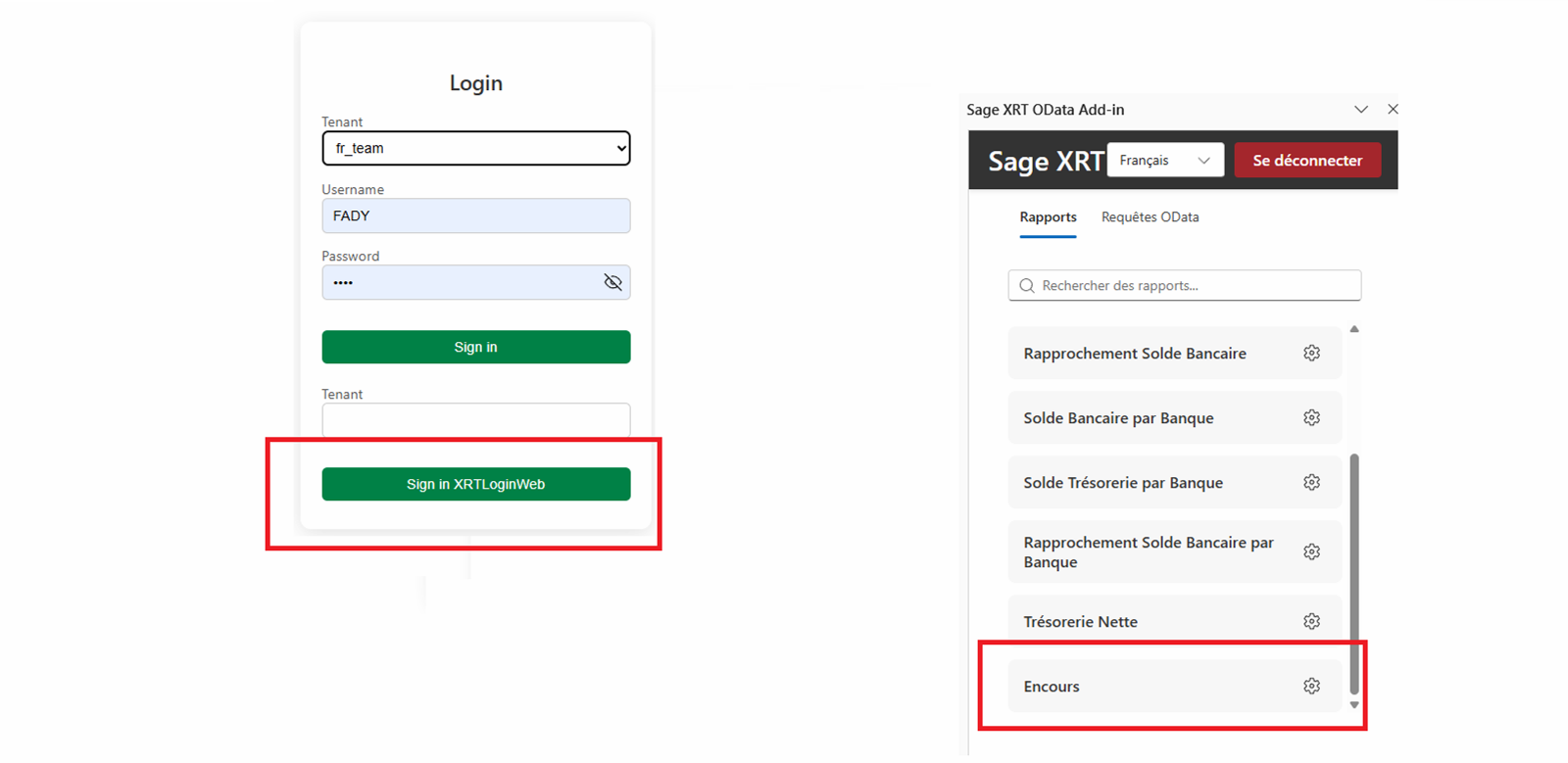
A dedicated API enables the smooth processing of data in the Outstanding portlet in Dashboards and external tools.
The OData authentication via XRTLoginWeb guarantees a secure access to services.
The OData processes are optimized to reduce the loading times and streamline the access to data.
Cash
Forecast Generation
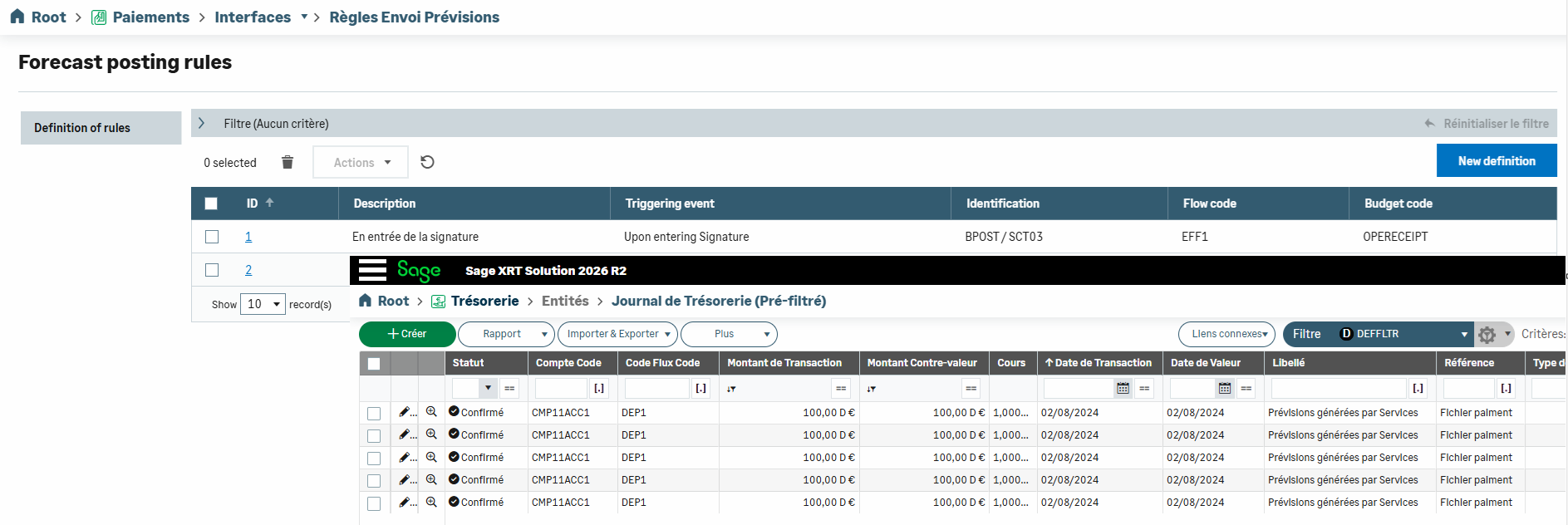
The payment files from ERPs can now be automatically integrated into the cash as confirmed forecasts.
You can define beforehand the workflow phase at which forecasts must be posted (when entering the signature service, after the last signature, etc.).
This function is also available for the transactions which were directly initiated from cash by deactivate General Settings — Cash — Generate Cash Flows by SCS command.
New: Client Drafts
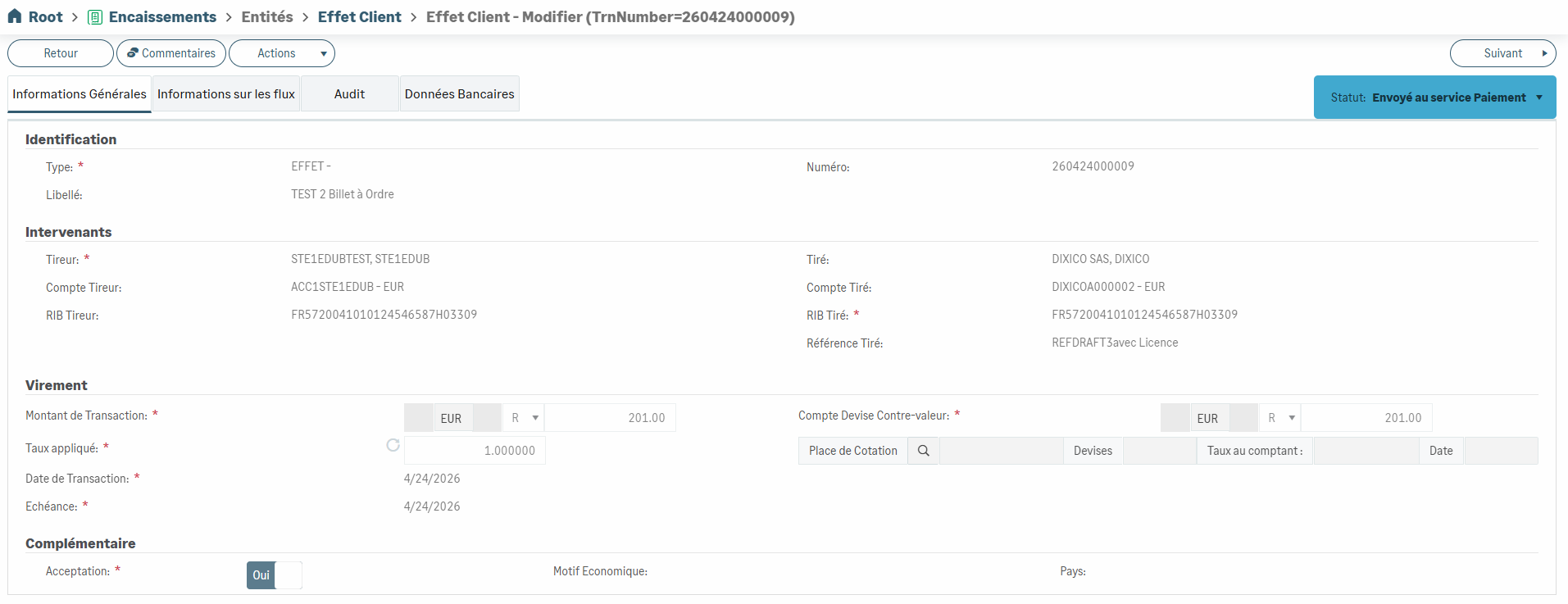
A new type of transaction has been added to Receipts module: Client Drafts.
This evolution enables an easy and well-structured management of these transactions, natively integrated into the existing processes.
Client Drafts are grouped and transmitted to the Payment service to generate compliant files.
Enhanced Cash Position Worksheet
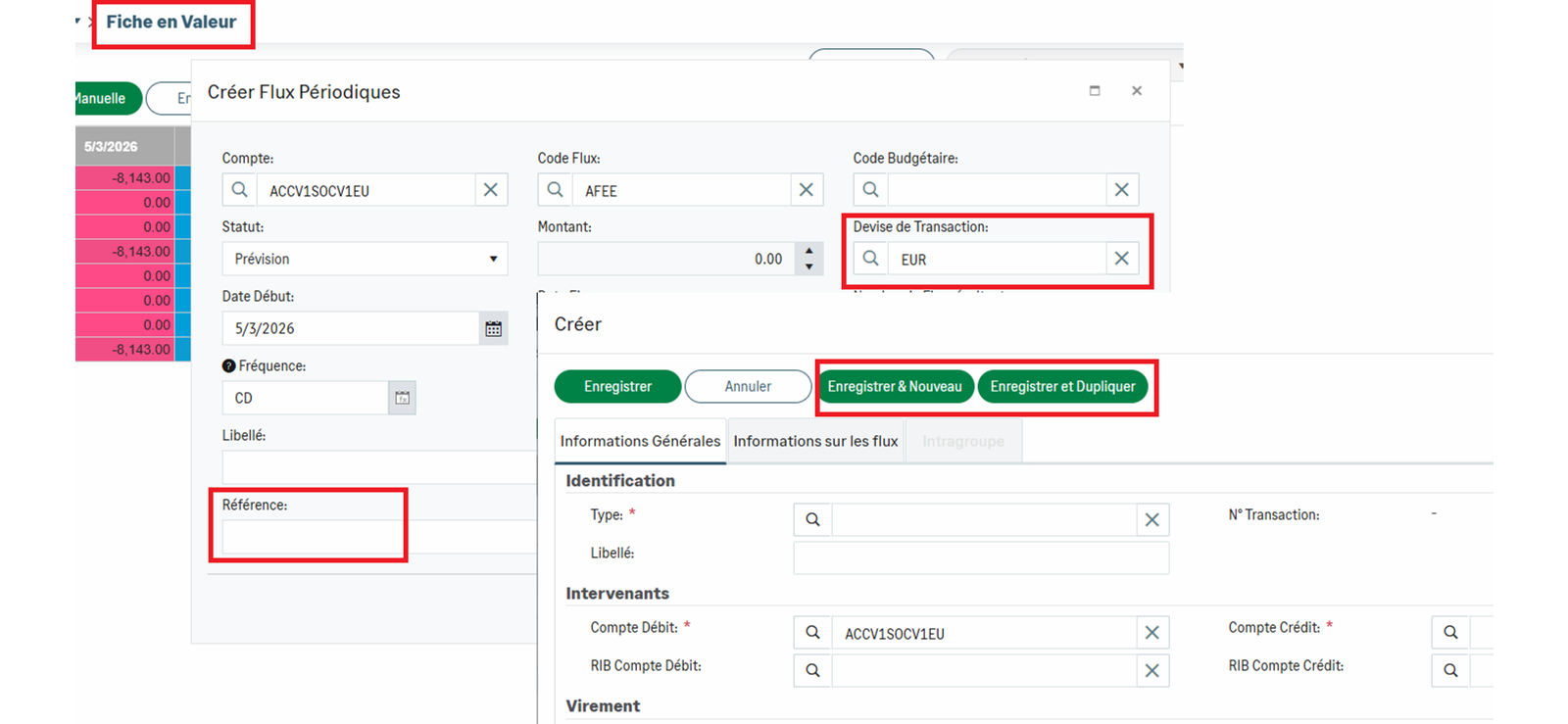
A Reference field is dedicated to the periodic flows to facilitate the flow identification and monitoring.
The periodic flows manage the amount currency.
The Custom interval option has been improved to offer more flexibility in the period definition.
The new actions: Save & New and Save & Duplicate are now available to quicken the input of Treasury Transfers.
More Improvements...
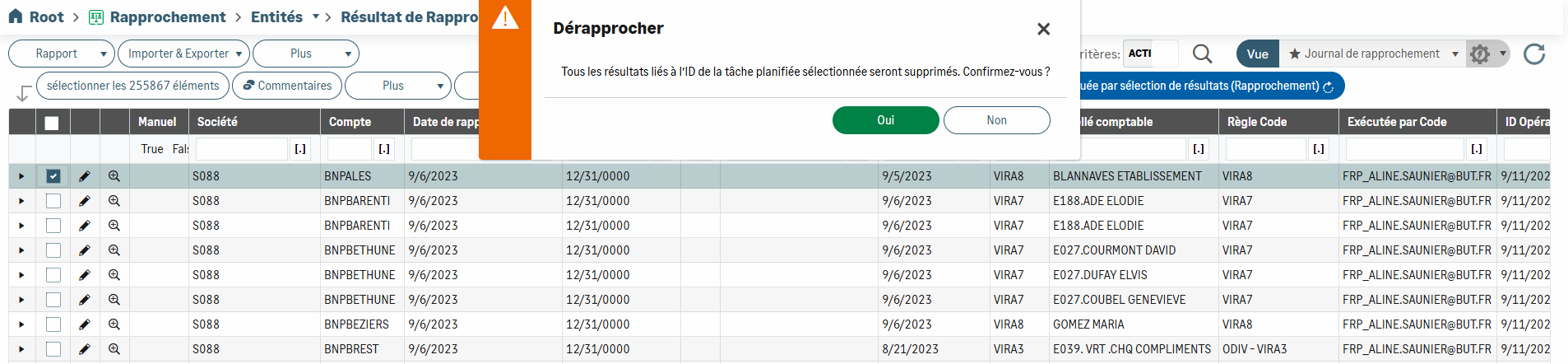
Unreconcilation: new warning message for batch unreconciliation attempt, to secure transactions and prevent any unintended actions.
Payments & Treasury Transfers – DOM-TOM specificity: legal compliance by adding the DebtorAgentCountryCode JSON field.
Bank Account Analysis Report: new option which enables you to exclude the interco. accounts from your analyses.
Display of comments: option which can show the comments directly in the views and sort them by date.
Debts & Investments
Payments between two maturity dates
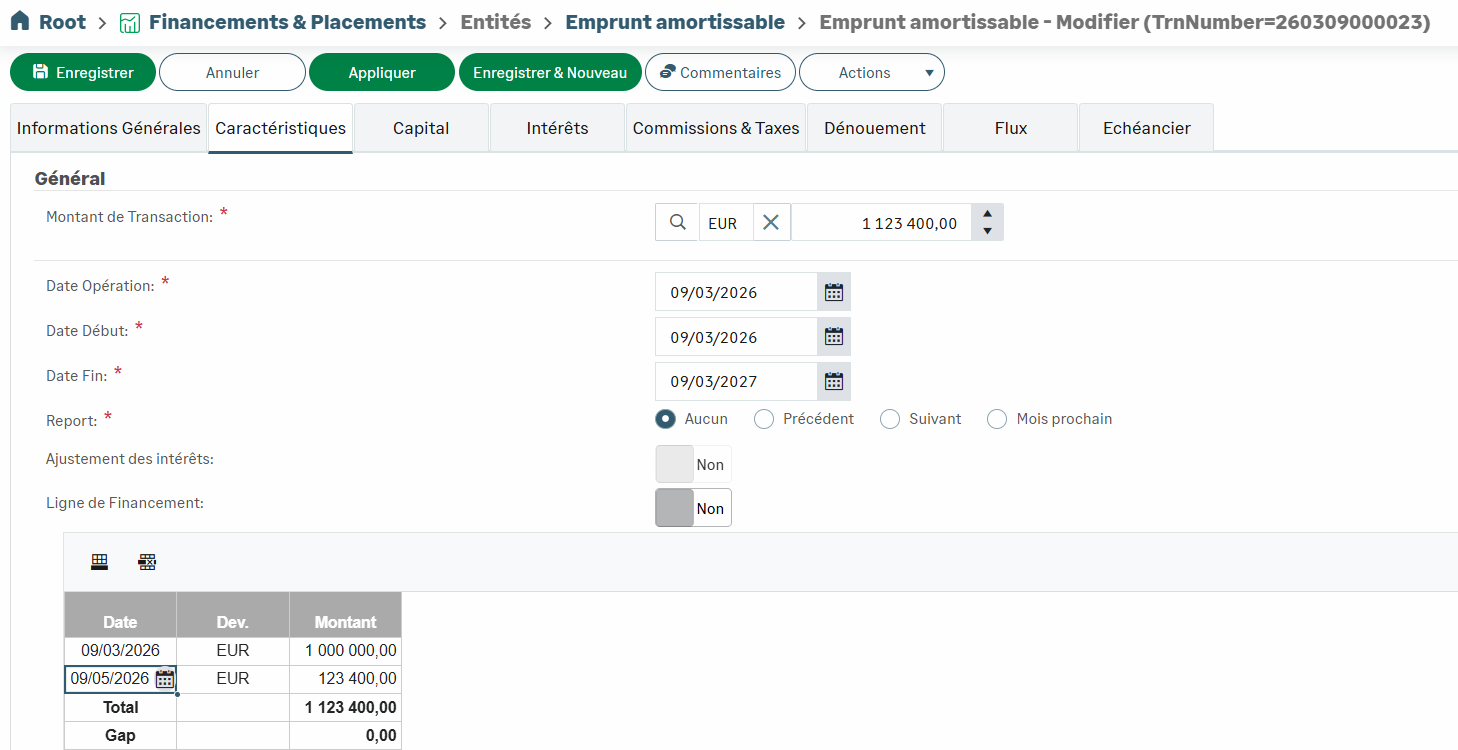
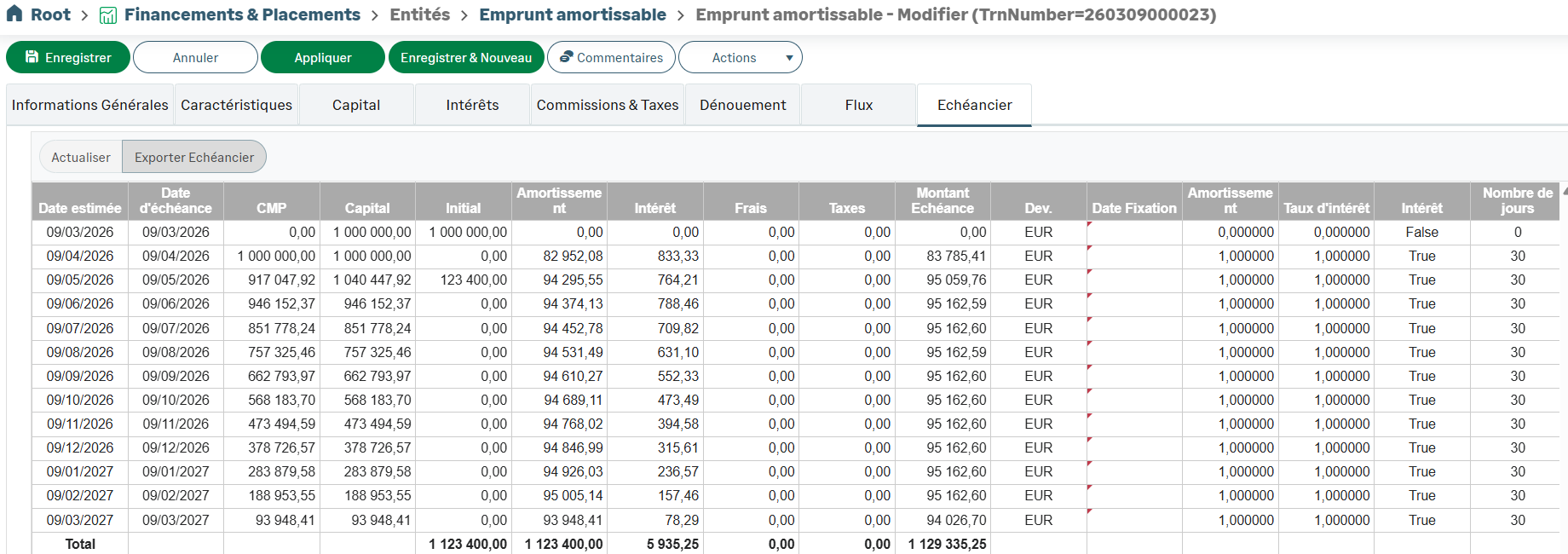
You can now place one or more payments between two maturity dates for principal and interests repayments for:
Bullet Transactions
Fixed Annuity Calculation Method
Modifying Company Code
When a Company Code has been modified in the companies setup, it can be updated within an existing transaction:
the Company Code is displayed in the Characteristics tab of the transaction,
the existing bank account in the Settlement tab is linked to this new code.
E.g.:
Company setup

Account setup

Transaction before modification of Company Code

Modification of Company Code

Impact on Bank Account

Transaction after modification of Company Code

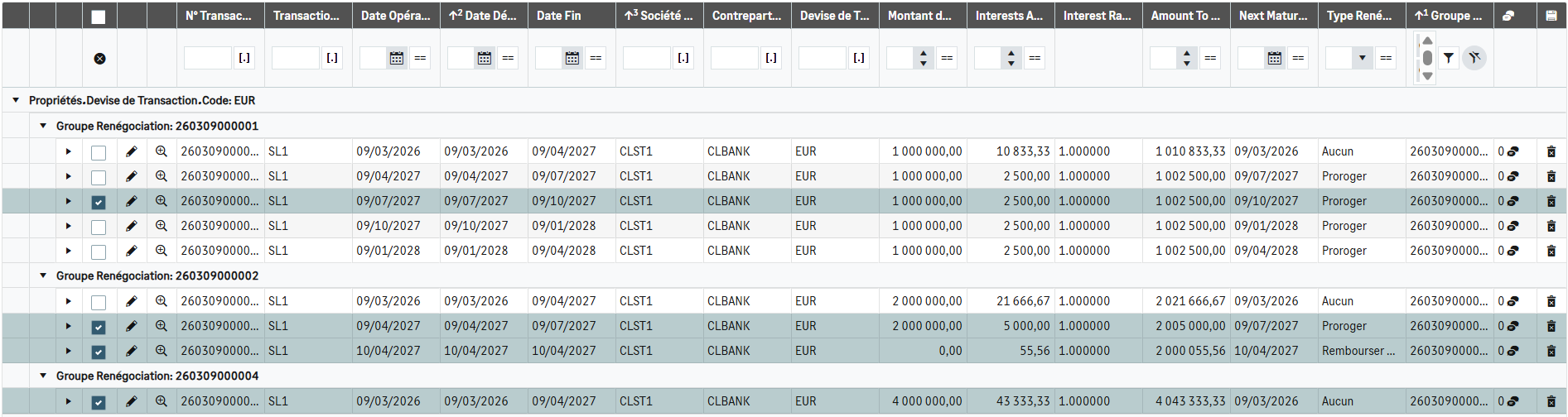
Display of Transaction History
The transactions that have been renegotiated can now be displayed in the grid near the original transaction.
Scheduled Task for Rates Update
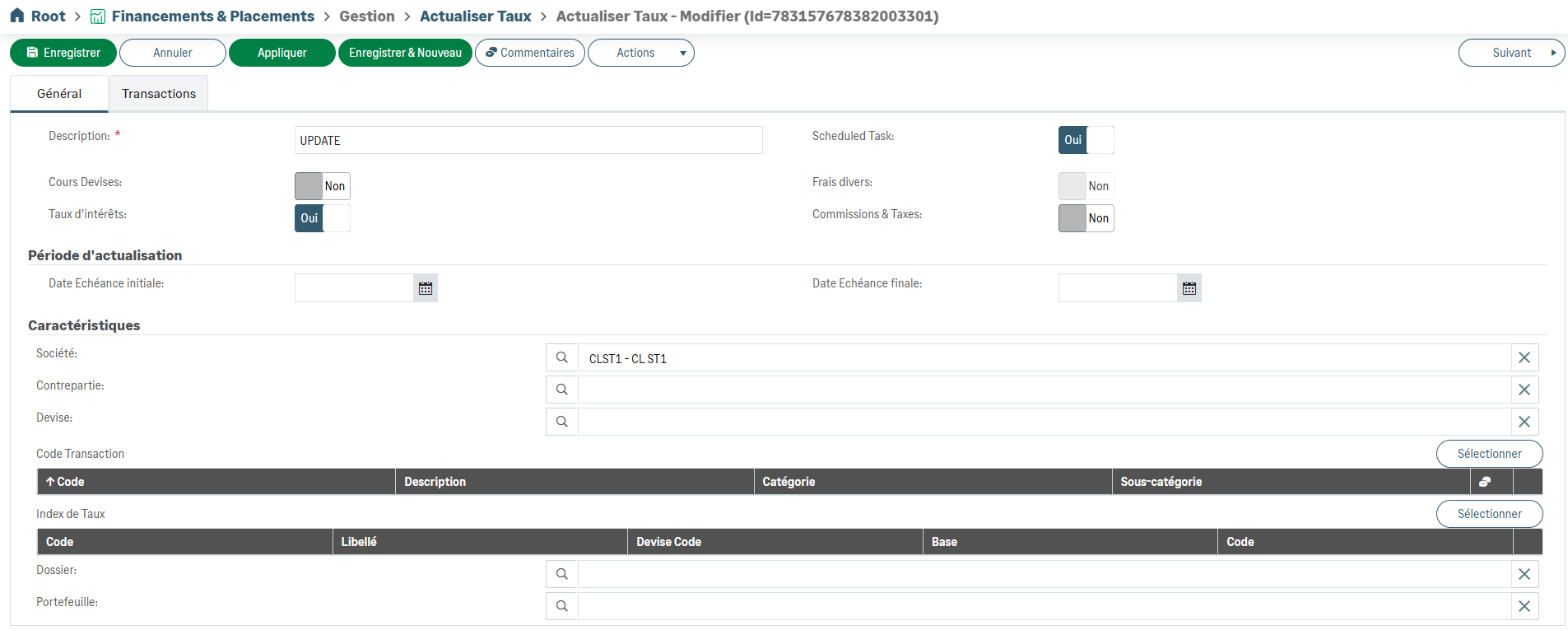
To automate the update of rates and transaction currencies, you can associate a scheduled task with existing filters.

Outstanding Filter for Movable Leasing
To display in the grid the Movable Leasing transactions that are not ended, a filter named Outstanding has been added to the filter list.

Simplified View for Transactions (except Mutual Funds and Certificates of Deposit)
The Global Dashboard has been added to the default views available for the transaction grid.
It presents the essential data of the transaction such as:
Renegotiation Type and Group
Financing/Investment Line
Transaction Status

This view is not available for Mutual Funds and Certificates of Deposit.
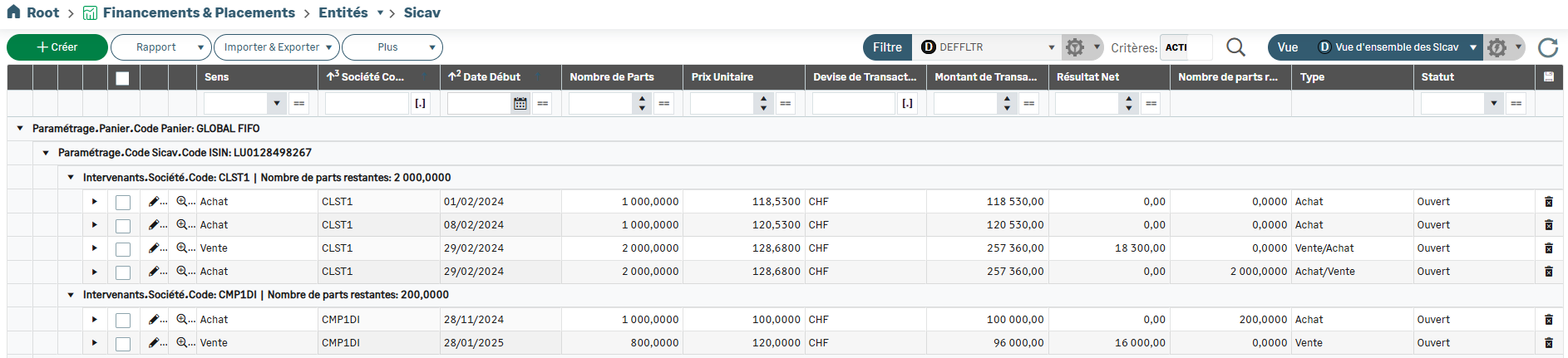
Simplified View for Mutual Funds
The MFs Overview has been added to the default views available for the grid.
It enables the grouping of Mutual Funds by:
Basket
ISIN Code
Company
On top of the net result, this view presents the following data:
Remaining Shares
Type (Buy or Sell)
Transaction Status
Simplified View for Certificates of Deposit
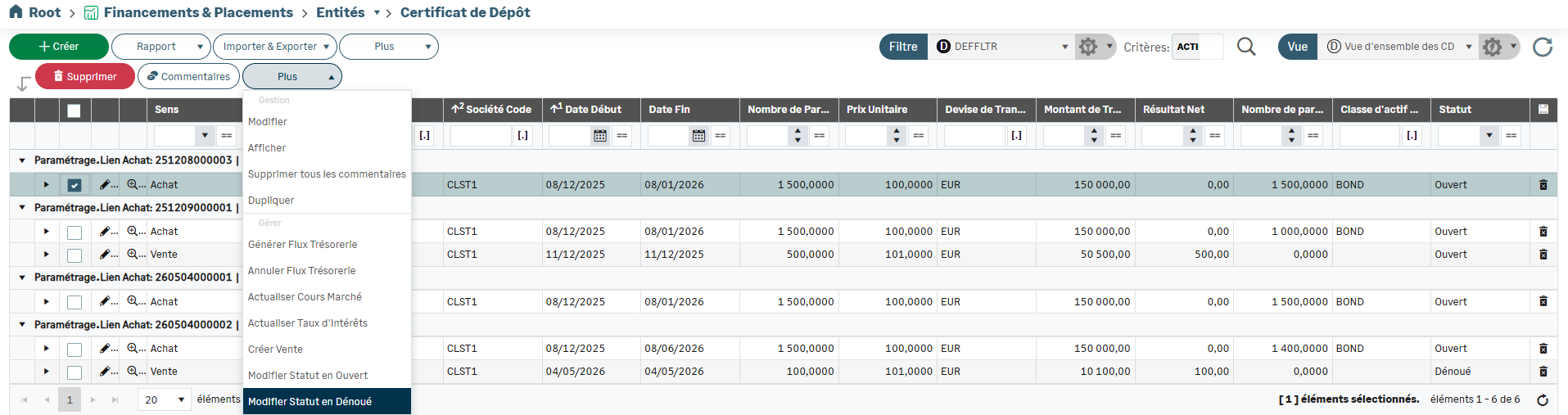
The CDs Overview has been added to the default views available for the grid, enabling grouping of Certificates of Deposit by the Number of Transaction of the original buy.
On top of the net result, this view presents the following data:
Remaining Shares
Asset Class
Transaction Status

Modifying Status for Certificates of Deposit
When the flow generation is optional, the transaction status can now be modified for Certificates of Deposit.
Filter for Certificates of Deposit
To display in the grid all the buy transactions that are not ended and not completely sold, a filter named Open & Not Completely Sold has been added to the filter list.



