Viewing License Details
Sage XRT Solution Platform provides you with the details of your license.
To access them, go to Administration and select Platform Management in the Configuration menu.
The License tab of the form presents the information.
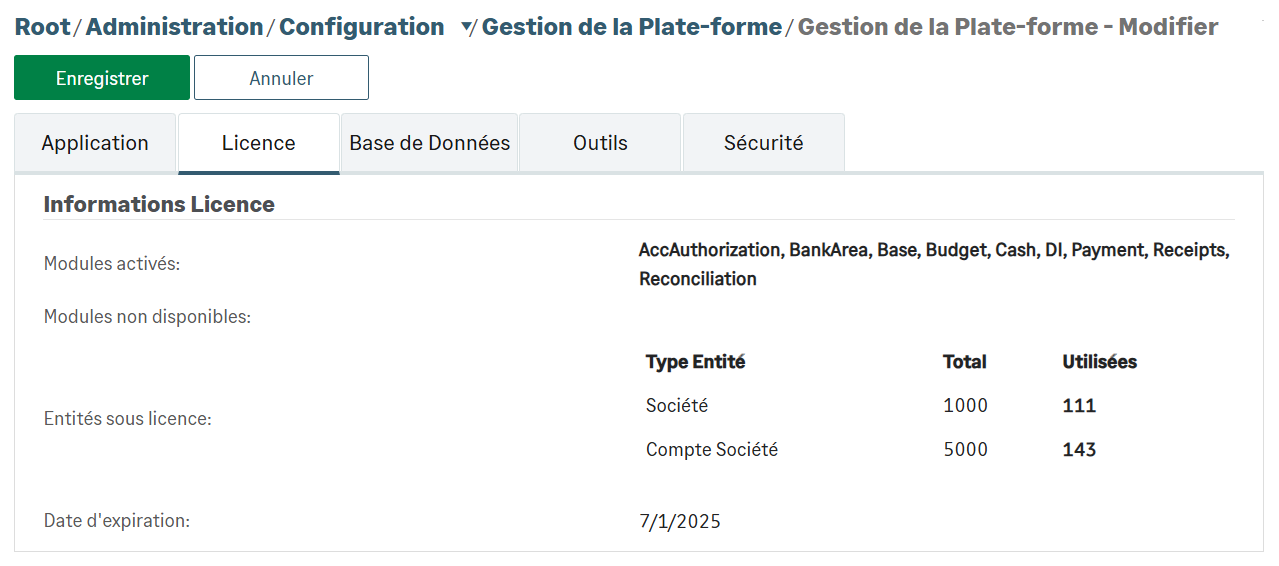
You can find the list of the activated and deactivated modules.
You can also view how many entities you use compared with the number granted by your license.
And finally, the Expiration Date field specifies the end date of your license.


