Defining Email Sending Process
The platform enables you to send certain types of Email. Before using this transmission system, you need to set up some elements.
To do so, in the Configuration menu of the Administration, open the Global Application Settings submenu.
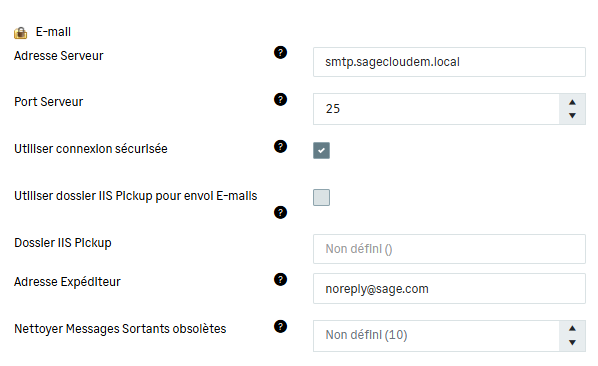
In the Email section, you need to specify three elements:
-
smtp.sagecloudem.local in the Server Address field
-
25 in the Server Port
-
[email protected] in the From Address field
Do not forget to validate your entries by clicking the Save button at the top of the page.
Info
By default the sent and not locked messages are deleted every ten days (option Clean not New Outgoing Mail in days).


