Setting up Spot Exchange
Before any input of spot exchange Agreement between two parties to buy one currency against selling another currency at an agreed price for settlement on the spot date. The exchange rate at which the transaction is done is called the spot exchange rate. Also known as FX spot. purchase or sale, you need to define the corresponding transaction codes, as well as the resulting flows.
To do so, go to Cash module and select the Transaction Type submenu from the Setup – Module specific menu.
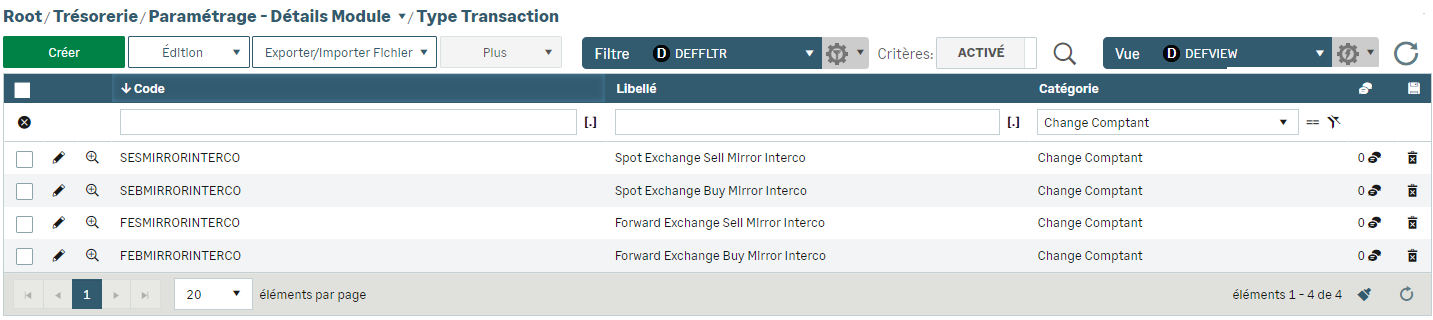
Click the Create button to open the creation form.
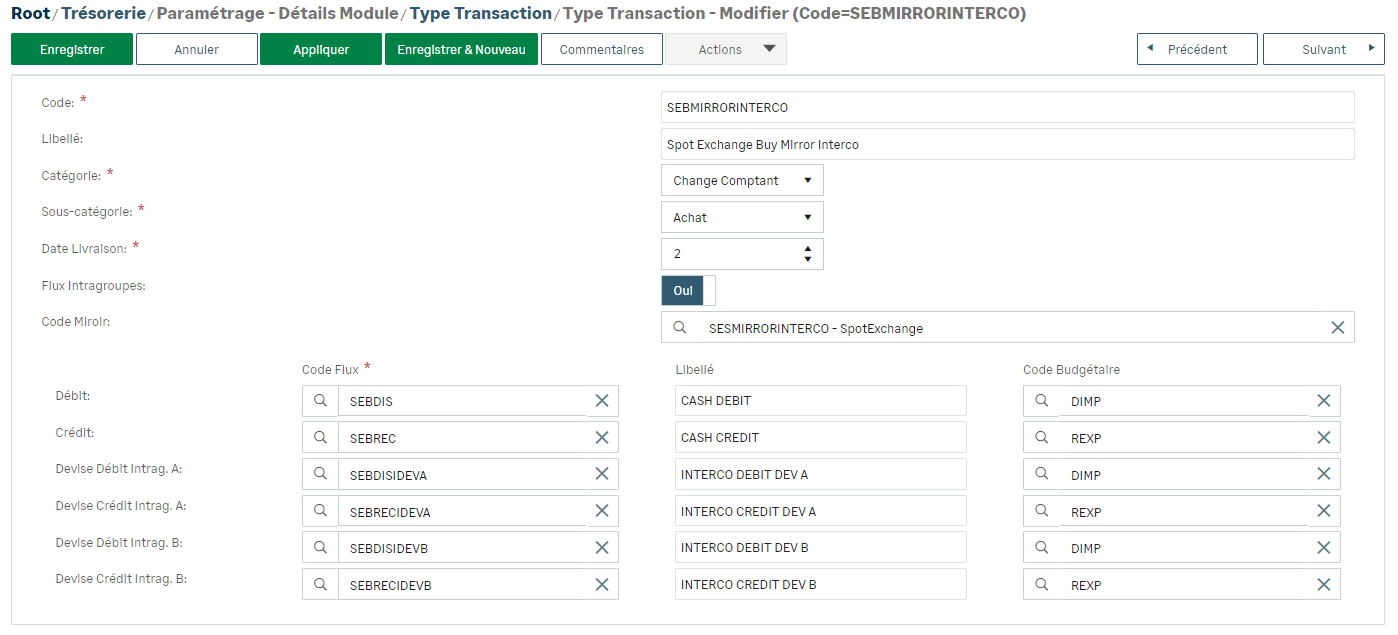
Complete the fields.
Select the following elements from the corresponding dropdown list:
-
Spot exchange as Category
-
Buy or Sell as Subcategory
-
the number of days for the delivery date of the currencies
Position the Interco. Flows option to Yes, specify the Flow Code and potentially a Description and a Budget Code.
In the Mirror Code option, specify the transaction code linked to this type of transaction (buy and sell).
With no interco. management, nor mirror, specify a Flow Code for each line of flow and potentially a Description and a Budget Code.


