Working with the Display Modes
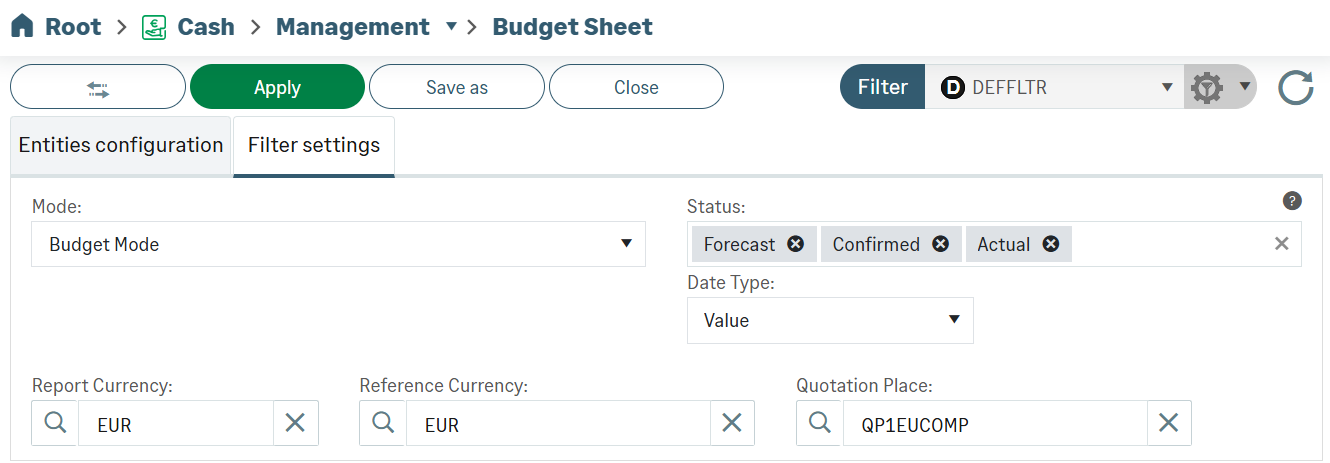
In the Filter Settings tab, the Mode dropdown menu defines the display mode of the budget.
Three modes are available:
-
Budget Mode to set up your budget sheet.
-
Analysis Mode to compare revisions with each other and the budget with the actual flows of Cash module.
-
Mixed Mode to complete your budget exercise with the actual figures.
Budget Mode
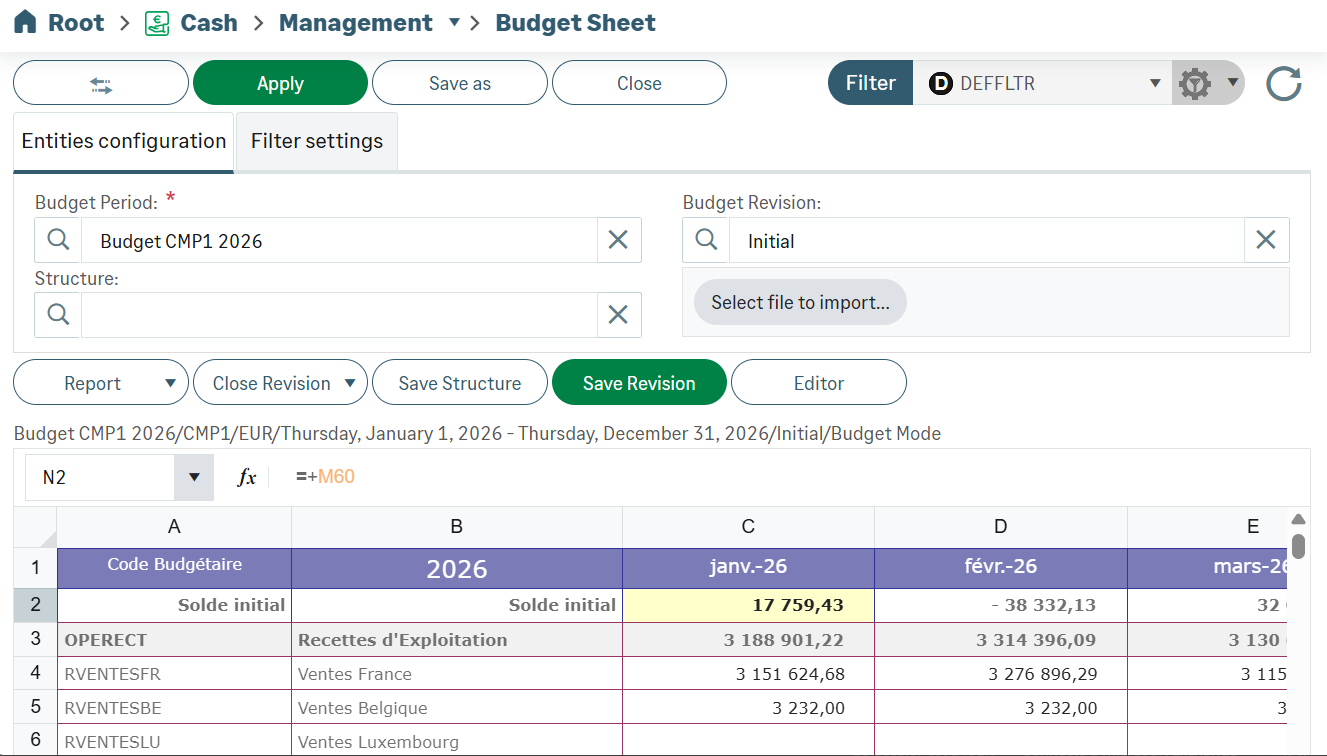
The Budget Mode enables you to build up the budget sheet: import and adaptation. To modify elements, click the Editor button on top of your budget and proceed with your corrections.
Important
After the import of the Excel budget sheet, the elements that cannot be interpreted, are displayed in the cells with a red background, you can click the red triangle in the upper-right corner of a cell to view the explanatory note. You can correct and modify those elements in the same way.
Analysis Mode
The Analysis Mode enables you to compare:
-
Two revisions with each other.
-
The actual figures from Cash module with budget previsions.
To select this mode, open the Filter Settings tab, click Analysis in the Mode dropdown menu.
All the revisions of the treasury budget can be compared with each other in pairs.
Select a saved revision from the list in the Compare With Revision menu. Click the Apply button at the top of the page. The comparative sheet is displayed.
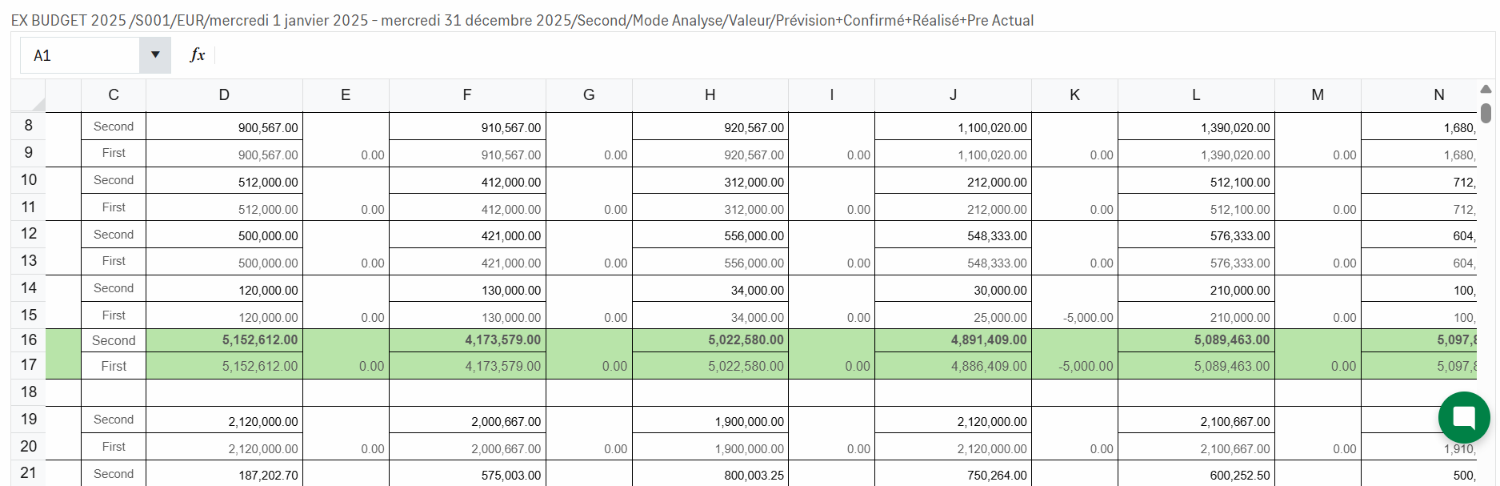
For each transaction code, the line of both versions is displayed.
A column specifies the name of each version.
Another column displays the discrepancy between both amounts.
Discrepancies between both amounts are marked by a different color for the background of the corresponding lines.
Mixed Mode
The Mixed Mode enables you to view the budget exercise with two data types: actual figures and forecasts.
To select this mode, click Mixed in the Mode dropdown menu of the Filter Settings tab and click Apply.
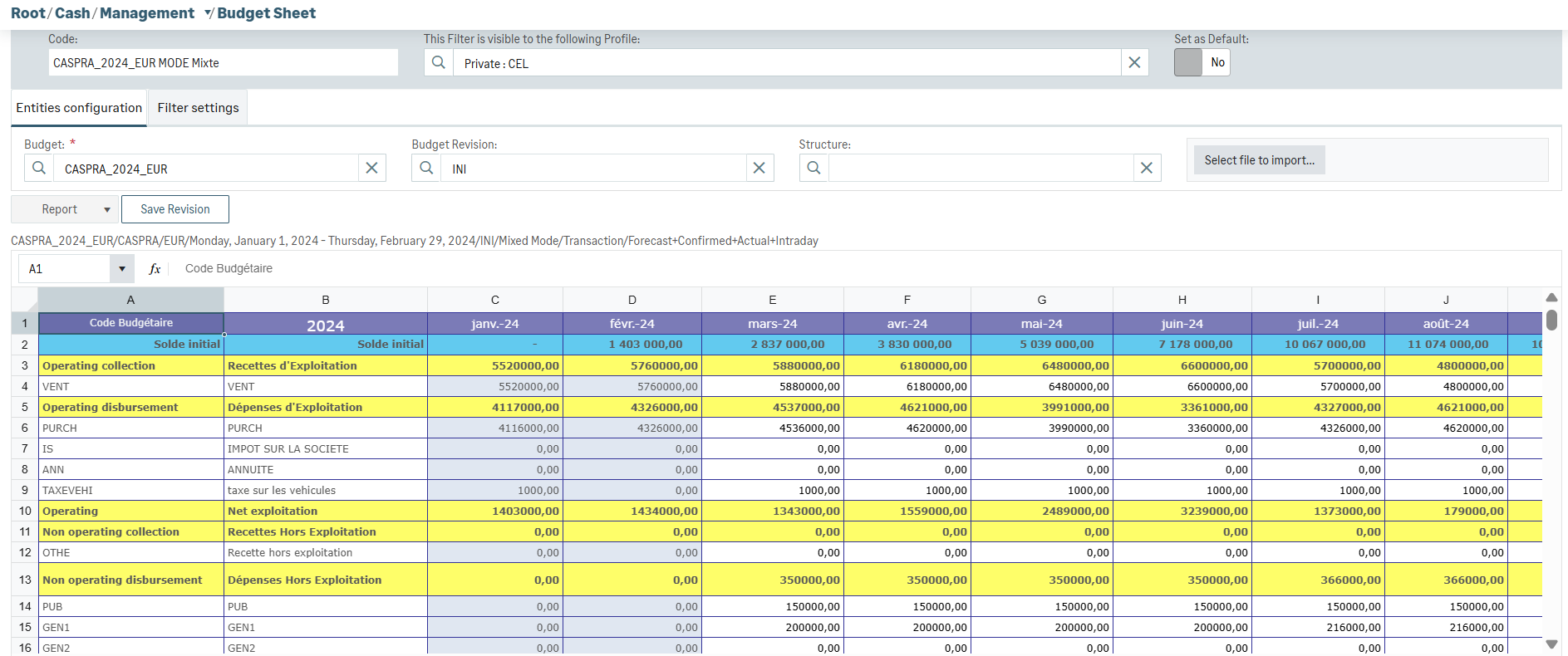
Your budget sheet includes the actual figures from Cash module as well as the forecasts for the coming months. The initial balance amount of forecasts is automatically based on the last closing actual balance amount.
You can use the mixed budget sheet as the current revision by clicking Save Revision.
Info
The line with gray characters displayed on top of the current budget recaps the main elements of it according to the following format:
Code/Company/Currency/Exercise/Version/Mode


